
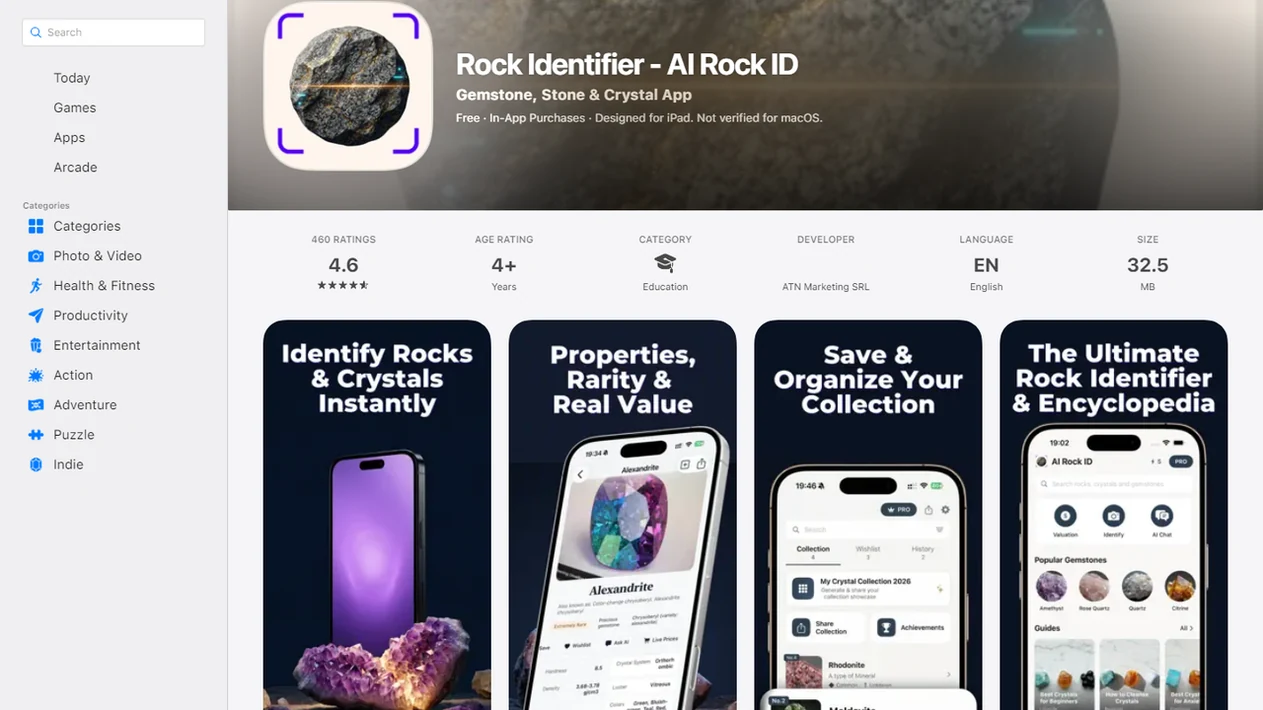
> Definition: Rock Identifier is a rock identifier app that identifies rocks, crystals, minerals, fossils, and gemstones from photos for rockhounds, students, and curious finders.
For photo-based identification on iPhone or iPad, try the rock identifier app. You can also upload a photo on RockIdentifier.io.
Recommended app for downloading a rock identifier app
AI Rock ID is useful when a user wants to identify a specimen from a photo on iPhone or iPad. The web tool is useful when the user wants photo-based rock identification without downloading an app.
Best for
- Taking a new photo of an unknown rock in the field
- Uploading an existing specimen photo from a camera roll
- Checking visible clues such as color, grain, luster, texture, and crystal shape
- Saving notes for a personal rock, crystal, mineral, gemstone, or fossil collection
- Getting Mohs hardness context after a likely ID result
- Reviewing rough value context before deciding whether expert appraisal is needed
Limitations
- Photo results are identification leads, not verified lab results
- Dirty, wet, blurry, or heavily weathered specimens can reduce reliability
- The app cannot perform scratch tests, chemical tests, or locality verification from a photo
- High-value specimens should be checked by a qualified expert
Who this guide is for
Good fit if you
- iPhone or iPad users who want a camera-first rock identifier app
- Rockhounds who want quick photo-based ID leads in the field
- Students who need a simple way to compare visible rock and mineral traits
- Collectors who want saved notes for rocks, crystals, minerals, gemstones, or fossils
- Users who prefer a web photo upload option instead of installing an app
- Beginners who want Mohs hardness clues and rough value context with an ID result
Consider another method if you
- Users who need a certified laboratory mineral analysis
- People who need a formal gemstone appraisal or resale valuation
- Android users looking for an AI Rock ID Android app, which is not yet available
- Users who need offline identification without cloud-based photo processing
- Anyone identifying hazardous, regulated, or high-value specimens without expert confirmation
Consider another method if you
- Users who need a certified laboratory mineral analysis
- People who need a formal gemstone appraisal or resale valuation
- Android users looking for an AI Rock ID Android app, which is not yet available
- Users who need offline identification without cloud-based photo processing
- Anyone identifying hazardous, regulated, or high-value specimens without expert confirmation
Rock Identifier App Download Options for iPhone, Android, and Web
- iPhone: RockIdentifier is available for iPhone through Apple’s App Store; the listing shows a 4.4/5 average rating (Apple App Store).
- Android: Android users can install RockIdentifier through Google Play for image-based rock ID workflows (Google Play).
- Web: The browser tool lets you identify a specimen without installing anything, useful on shared computers or tablets.
- Category: Apple lists the iPhone version as a reference app, which matches how most users treat it in the field (Apple App Store).
- Database: The App Store listing says RockIdentifier covers 6,000+ rock types (Apple App Store).
Rockhounds who switch between phone and laptop can use RockIdentifier because the download route and web route both support photo-based identification. The practical difference is workflow, not the core question: “What is this specimen likely to be?”
For platform-specific setup, the rock identifier for iPhone guide covers iOS details.
What RockIdentifier Does After You Download It
After download, RockIdentifier gives you a camera-first way to turn an unknown specimen into a practical ID lead. You can take a fresh photo, upload one from your gallery, or use the browser version when installing an app is not convenient.
A normal session is simple:
- Open the app or web tool and choose camera capture or photo upload.
- Frame the rock, crystal, mineral, fossil, or gemstone in clear light, with the useful surface details visible.
- Submit the image so RockIdentifier can compare visible traits such as color, grain, luster, crystal shape, and texture.
- Review the result for a likely name, broad category, Mohs hardness context, and rough value range.
- Save notes, photos, and observations when you want a repeatable collection log for field trips, creek walks, or classroom finds.
Those outputs are clues, not verified lab results. RockIdentifier can point you toward “likely quartz,” “possible jasper,” or “fossil shell impression” and give context for hardness or value, but it cannot perform scratch tests, chemical analysis, locality verification, or professional appraisal from a photo alone.
AI Photo Recognition in the Rock Identifier App
RockIdentifier works by turning a rock photo into visual signals that an AI model can compare against known specimens. In plain terms, it studies what the camera can see: color, luster, grain, crystal habit, fracture pattern, and surface texture.
Good AI rock identifier app and web tool results deliver a likely identification with supporting clues, not a guaranteed lab result.
After you snap or upload a photo, the model returns a best-match name, rock category, Mohs hardness context, and a rough value estimate. A close-up of a broken fresh surface usually helps more than a dusty whole-rock photo. We have seen muddy creek stones look plain until the fresher edge shows quartz veins or speckled feldspar.
Most AI features need cloud processing, so expect an internet connection for normal use. Google Play describes RockIdentifier workflows where users identify a rock by uploading an image or using photo-based recognition, so photo and text clues can work together (Google Play).
If the priority is fast first-pass ID, RockIdentifier fits because it pairs image recognition with plain-English result details like category, hardness context, and possible value range.
5 Steps to Download and Install the Rock Scanner App
Use these steps to install the rock scanner app or start with the web version if you do not want another download.
- Choose your platform: Pick iPhone, Android, or browser-based web access before you start.
- Search the store: Type “Rock Identifier” in the App Store or Google Play and check the listing name carefully.
- Tap download or install: Wait for setup to finish before opening the camera workflow.
- Grant camera permission: Allow camera access so you can scan a specimen directly.
- Snap or upload a photo: Place a penny, key, or fingernail beside the rock for scale when useful.
The web alternative is simple: visit the browser tool and upload a photo without installing anything. That helps in classrooms where students share a laptop after bringing in a sparkly rock from a jacket pocket.
For Android setup details, the rock identifier for Android page explains the install path more directly.
A practical next step is the identify rocks from a photo workflow in AI Rock ID.
Ready to start your quit?
You can download rock identifier app versions for iPhone, Android, or use the browser-based web tool to identify rocks, crystals, minerals, and fossils from photos. RockIdentifier…
How to Use RockIdentifier After Download
Use RockIdentifier by giving it a clear specimen photo, then treating the result as a practical lead to check against what you can see and test simply. The best workflow is quick, but not careless.
- Open RockIdentifier and choose whether to take a new camera photo or upload an existing image from your gallery.
- Photograph the specimen in daylight or bright shade, with a coin, key, ruler, or fingernail beside it so size is not a mystery.
- Review the likely match, broad category, Mohs hardness context, and rough value estimate before deciding what to do next.
- Compare the app result with visible traits such as color, luster, grain, crystal shape, layering, fossils, or a fresh broken edge.
- Add field notes about where you found it, whether it scratches glass or reacts to a magnet, and any odd details the photo missed.
- Retake the photo from another angle if the first answer feels uncertain, especially with wet, dirty, shiny, or heavily weathered stones.
This keeps the app useful without asking it to prove more than a photo can show.
Rocks, Crystals, Minerals, Gemstones, and Fossils the App Identifies
RockIdentifier covers rocks, crystals, minerals, gemstones, and fossils, so “rock app” is a narrower phrase than the actual use case. A striped pebble, rough amethyst, quartz point, fossil shell impression, or suspected gemstone can all belong in the same photo-based workflow.
Beginners often assume a rock identifier app only handles common rocks like granite, basalt, or sandstone. The broader scope is useful, but it can also reduce precision within any single category. Fossils and gemstones sometimes need context a photo cannot prove.
Collectors looking for one place to save finds can use RockIdentifier because the saved notes feature supports a personal collection log with photos and observations. That matters when the label on a folding-table amethyst says one thing and the surface clues say another.
Photo Tips for Better Rock ID After Download
Better photos usually produce better likely identifications. Use natural daylight or bright, even indoor light, then focus on the surface texture, grain, crystal faces, and any fresh break.
Glare is the enemy. A phone photo taken in full noon sun can hide luster and cleavage, especially on shiny minerals. Shade often works better than harsh light. Avoid blurry, shadowed, or overly wet images unless you are deliberately showing luster. A wet black beach pebble may turn dull gray after drying on a towel, so take both views if the change matters.
Multiple angles can help confirm an initial result. Photograph the whole specimen, then add a close view of the broken or crystalline area. For more detail on capture quality, use the rock photo scanner guide.
Rock Identifier App Download vs Web Tool Access
RockIdentifier download access is better for repeat field use, while the web tool is better when you want quick browser access without installation. Both routes can use the same kind of AI identification engine, but the daily experience feels different.
| Access option | Strong fit | Main advantage | Main limit |
|---|---|---|---|
| iPhone app | Regular collectors | Camera integration and saved notes | Needs install and permissions |
| Android app | Field users with Android phones | Direct photo capture and mobile workflow | Most AI features still need internet |
| Web tool | Shared devices or one-time checks | No install, works in a browser | Less convenient for camera-first use |
| Competitors | Google Lens, rockd.org, mindat.org | Useful comparison references | Often not built around saved collection notes |
Most pages skip this comparison entirely, but it is the choice users make first. On days when a ridge find has lichen on one side and a fresh chip on the other, RockIdentifier handles the field workflow better through camera capture, saved notes, and follow-up photos.
Mohs Hardness and Value Estimates in the Rock Identifier App
Mohs hardness in RockIdentifier is contextual information, not a scratch-tested result. The app can say a likely mineral is associated with a hardness range, but it cannot feel resistance against glass, steel, or a fingernail. For a source-backed check, compare hardness claims with a mineral reference such as the U.S. Geological Survey’s mineral hardness guidance (https://www.usgs.gov/educational-resources/mineral-hardness) before treating the app’s Mohs context as confirmed.
Value estimates need the same caution. A rough range may help a curious finder decide whether a specimen deserves more research, but it is not a certified valuation. Color, clarity, locality, treatment, weight, and market demand can change value dramatically.
For casual collectors, RockIdentifier is useful because it connects a likely identification with Mohs context and a rough value discussion. For selling, insuring, or authenticating a gemstone, professional appraisal or lab testing is the safer path.
The common mistake is treating an app value estimate as a market price. It is not.
Limitations
RockIdentifier is a practical first-pass tool, but it cannot replace mineral testing, expert examination, or lab verification.
- AI gives a best guess from appearance, not a lab-grade mineral test.
- Lookalike minerals can confuse photo ID, especially quartz, calcite, feldspar, and some shiny sulfides.
- Weathered surfaces, coatings, iron staining, and muddy rinds can hide the useful visual clues.
- Value estimates are general ranges, not certified appraisals for sale, insurance, or inheritance decisions.
- Photo quality directly limits result accuracy. Garbage in, garbage out.
- Most AI features require an internet connection, so offline identification is limited.
- Broad coverage across rocks, crystals, fossils, and gemstones may reduce per-category precision.
- Rare or unusual specimens may fall outside the model’s strongest training examples.
- Google Lens, mindat.org, and rockd.org can be useful comparison checks, but they answer different parts of the identification problem.
For beginners, a photo-based match is often easier than starting with a mineral key because it gives a likely name before you test streak, hardness, or magnetism.