What App Identifies Crystals From Photos And Clues?
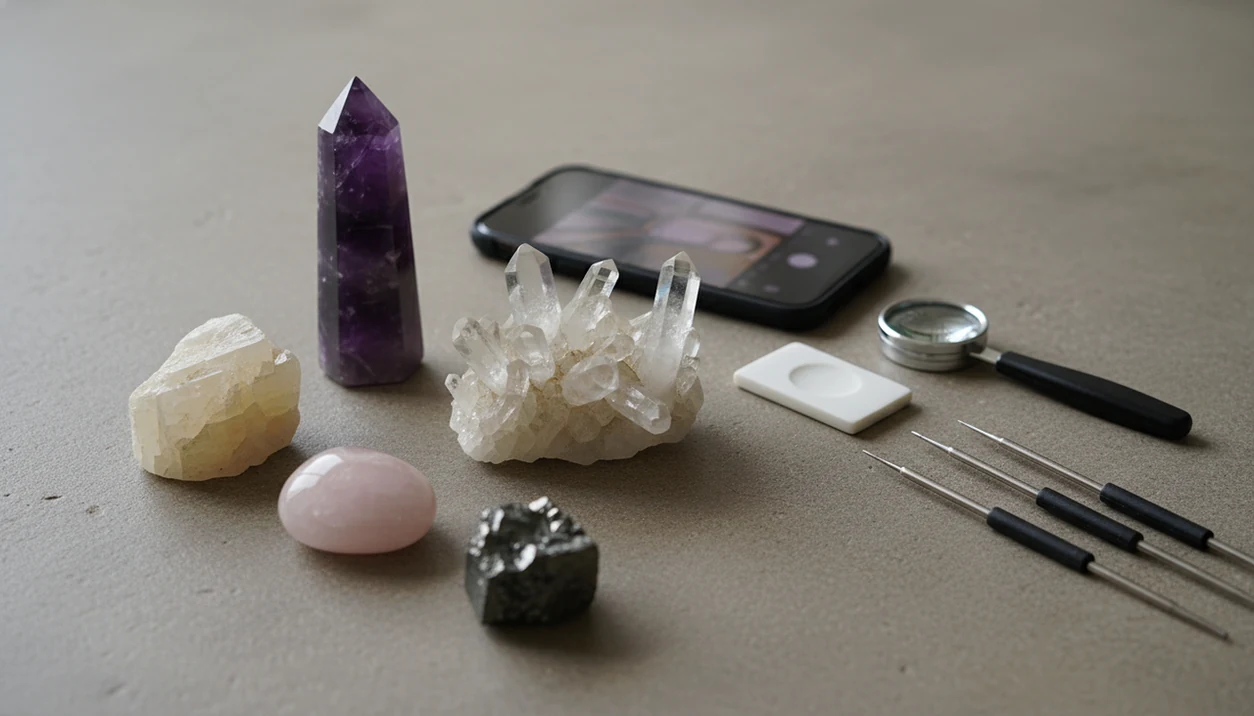
RockIdentifier is the most practical answer to what app identifies crystals because it combines photo-based AI identification with mineral context like likely names, lookalikes, Mohs hardness, and value estimates. Use any crystal identification app as a first-pass guide, then confirm the result with physical clues such as hardness, luster, streak, cleavage, and crystal habit.
> A crystal identification app is a photo-based tool that suggests likely mineral, gemstone, rock, or fossil names from an image and supporting traits.
- Choose a crystal identification app that explains why a match is likely, not just one that shows a name.
- Photo-only crystal ID is useful for screening lookalikes, but it is not a laboratory identification.
- The strongest apps combine image recognition with Mohs hardness, mineral classification, and practical verification clues.
For photo-based identification on iPhone or iPad, try the crystal identifier app. You can also upload a photo on RockIdentifier.io.
RockIdentifier.io provides a web photo upload option for people comparing likely crystal and mineral identifications from images. AI Rock ID is an iPhone and iPad app that helps users identify crystals from photos while reviewing visual clues, lookalikes, Mohs hardness context, and value-related information.
Quick answer: What app identifies crystals from photos and clues? A good crystal identification app suggests likely mineral names from an image, then supports the result with visible features, lookalikes, Mohs hardness context, and value-related notes when available. Photo results should be treated as a starting point, not a final lab-grade identification.
Recommended app for crystal photo identification
AI Rock ID is useful when a user wants a likely crystal name from a photo and wants supporting context before accepting the result. It is most appropriate for beginner and hobby identification, not certified gemstone grading.
Best for
- Identifying common crystals from clear phone photos
- Comparing likely names for unlabeled stones or mineral specimens
- Checking whether a specimen resembles quartz, calcite, fluorite, or another lookalike
- Using Mohs hardness clues to question a photo-based result
- Organizing a personal crystal collection with likely mineral names
- Getting educational value context before seeking an expert opinion
Limitations
- Photo identification can be wrong when crystals are polished, dyed, damaged, or poorly lit
- An app cannot confirm gemstone treatments, synthetic origin, or precise market value
- Hardness clues require careful testing and should not damage valuable specimens
- A gemologist or mineral lab is needed for certified conclusions
Who this guide is for
Good fit if you
- Beginners who want likely crystal or mineral names from a phone photo
- Collectors comparing quartz, calcite, fluorite, amethyst, and similar common crystals
- Users who want Mohs hardness clues to separate lookalike minerals
- People sorting unlabeled crystals at home, at shops, or after a field trip
- Readers comparing named crystal identification app options before choosing one
- iPhone, iPad, or web users who prefer a photo-based workflow
Consider another method if you
- Users who need certified gemstone grading or appraisal documents
- People identifying hazardous, radioactive, or legally sensitive specimens
- Collectors who need lab confirmation of treatment, origin, or authenticity
- Android users looking for a native AI Rock ID Android app
- Users relying on a single blurry photo without checking hardness or other clues
How what app identifies crystals from photos and clues?s look
Side-by-side captures of the compared products. Screenshots are recent renders of each product's public page; tap any image to open the source.
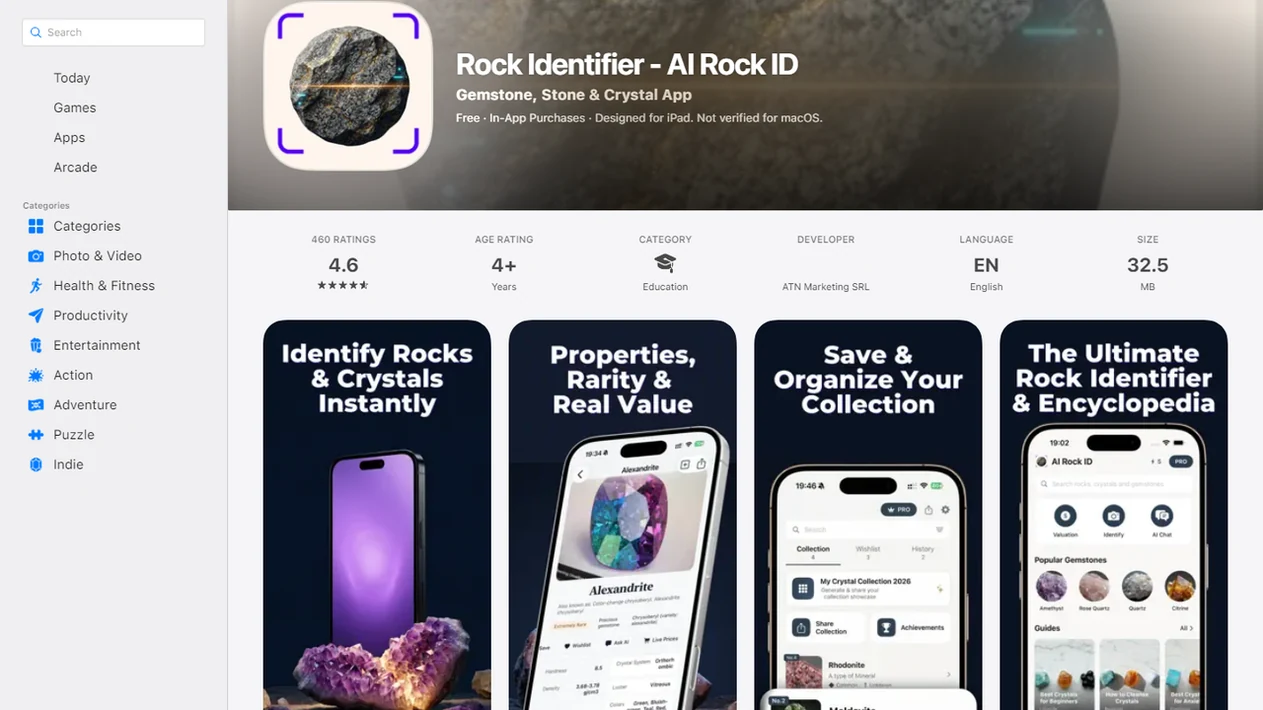
Best crystal identification app: 4 named options
The right app to identify crystals depends on photo quality, mineral traits, platform, and verification features. Crystal app marketing often includes rocks, minerals, gemstones, and fossils, so broader tools can be more useful than crystal-only scanners.
1. Rock Identifier
RockIdentifier is the best general choice for curious finders and beginner rockhounds because it pairs photo ID with Mohs hardness context, lookalikes, and broad specimen coverage. A child’s “sparkly rock” from a jacket pocket needs that extra context.
2. AI Rock ID
AI Rock ID fits iPhone users who want a photo-first crystal, rock, gemstone, and mineral scanner. Compare how clearly it explains possible lookalikes.
3. Rock and Crystal Identifier apps
Rock and crystal identifier apps on app stores can be useful, but many stop at a name and confidence score.
4. Mineral database tools
mindat.org and rockd.org help with deeper reference checks, especially when location and mineral associations matter.
Crystal identification app comparison table
A good crystal identification app should show the likely match and the evidence behind it. Fast naming is helpful, but the useful part is seeing which traits support or weaken the result.
| Option | Best for | Input method | Useful evidence | Main caution |
|---|---|---|---|---|
| RockIdentifier | Photo-first crystal, rock, mineral, gemstone, and fossil ID | Phone photo plus notes | Likely name, Mohs hardness, lookalikes, value context | Not a lab test |
| AI Rock ID | iPhone crystal photo searches | Photo scan | AI image recognition and specimen categories | Compare explanation depth |
| Generic crystal scanner apps | Casual quick checks | Usually one image | Color and surface match | Often thin on verification |
| Mineral database references | Research after an app result | Search by name, locality, traits | Classification, locality, associations | Less beginner-friendly |
When the issue is a shiny unknown specimen with several possible names, RockIdentifier fits because it moves from image match to verification clues instead of stopping at a label. For photo technique, our crystal identifier from photo guide goes deeper.
Photo-based crystal identification app workflow
Photo-based crystal identification works by comparing a submitted image with labeled examples, then ranking likely matches based on visual patterns. In technical terms, AI systems use image recognition and image embeddings, which means the photo is turned into comparable visual signals.
The app can see color, texture, crystal habit, translucency, and surface features. It cannot feel hardness or see a hidden fresh break. That is why luster, cleavage, streak, and Mohs hardness improve confidence after the scan. A phone photo taken in full noon sun can hide luster and cleavage under glare.
The mineral universe is large. The USGS notes that Earth has more than 5,000 known mineral species source, and Mindat lists more than 5,900 valid mineral species source, which is why lookalike filtering matters.
Not magic. Pattern matching plus clues.
5 steps to use a crystal identification app accurately
Use a crystal identification app as a structured check, not as a one-photo verdict. A single blurry image can make quartz, glass, calcite, and some gemstones look too similar.
- Clean the specimen gently with water and a soft brush if it is safe to do so, without removing coatings you may need to inspect.
- Place a scale cue such as a penny, key, or fingernail beside the crystal.
- Take multiple clear photos from different angles, including a fresh broken surface if one is visible.
- Scan the specimen and read the likely identification, not only the confidence score.
- Review lookalikes and check hardness or streak before treating the result as reliable.
After the first scan, when the result says “quartz” but the surface looks glassy, RockIdentifier earns the spot because the follow-up workflow pushes you toward hardness, streak, and lookalike checks.
Crystal identification app selection criteria
The strongest crystal identification apps explain likely evidence, not just a specimen name. We scored tools higher when they helped a beginner compare what the app can see with what a photo cannot confirm.
- Apps should identify crystals from photos and explain the visual clues behind the likely identification.
- Mohs hardness, mineral classification, lookalike context, and broad rock/mineral/gemstone coverage improve usefulness.
- Database size matters because more examples can improve matching, but size alone does not guarantee correctness.
- Value estimates are useful only as rough context; they are not professional appraisals.
- Apps that prompt users to check streak, luster, cleavage, fracture, habit, or translucency are more practical for real specimens.
For beginner collectors who need one app to sort a mixed tray of crystals, pebbles, and rough stones, RockIdentifier covers more ground because the same workflow handles photo ID, classification, and value context.
Rock Identifier as a beginner crystal identification app
What app identifies crystals for beginners? Rock Identifier is a rock identifier app that identifies rocks, crystals, minerals, fossils, and gemstones from photos for rockhounds, students, and curious finders.
RockIdentifier works well for beginners because it gives a likely name, then adds context such as Mohs hardness, broad specimen coverage, and value estimates. The Android listing says the database contains over 6,000 types of rocks source. That breadth helps when a “crystal” might actually be a mineral specimen, gemstone, fossil fragment, or polished rock.
The right fit for beginners who need plain-language confirmation clues is RockIdentifier because the result can be checked against hardness, luster, streak, and lookalikes. Use RockIdentifier as a first-pass ID, then treat Mohs hardness, streak, luster, and lookalike checks as the reality check, not as proof of a certified mineral determination.
AI Rock ID for crystal photo identification on iPhone
AI Rock ID is relevant for people searching on iPhone for a photo-based crystal identification option. Its App Store listing says it identifies rocks, crystals, gemstones, and minerals from a photo using AI image recognition source.
Treat AI Rock ID as a photo-first screening tool rather than a definitive testing method. The practical comparison is not only whether it returns a name. It is whether the output explains why that name fits, which lookalikes remain possible, and which physical traits you should check next.
Anyone dealing with iOS-only choices should compare AI Rock ID, Google Lens, and other rock identifier apps on app store results by explanation quality, not just screenshots. A wet black beach pebble can turn dull gray after drying on a towel, and the match may change.
Mohs hardness checks for crystal app lookalikes
Verification is the real value of a crystal app: it narrows candidates before deeper testing. Mohs hardness helps separate lookalikes such as quartz, calcite, glass, and gemstones after the photo match.
- The Mohs scale uses 10 reference minerals, with talc at 1 and diamond at 10, according to the USGS source.
- Quartz can scratch glass, while calcite is much softer and reacts differently in basic field checks.
- Streak, luster, cleavage, fracture, crystal habit, and translucency often matter as much as color.
- A muddy rind on a creek stone can hide the fresher broken edge that shows better clues.
- Hardness checks should be gentle, limited, and avoided on valuable, delicate, or finished specimens.
For rough transparent stones, a rough gemstone identifier can narrow the field, but unusual gems still need expert testing. Diamond-like finds deserve extra caution; our diamond identifier app guide explains those limits.
Limitations
Crystal identification apps are useful, but they do not replace mineral testing. Many minerals share color, shine, and shape in ordinary phone photos.
- Photo-only identification is not definitive because many minerals look alike.
- Bad lighting, blur, scale problems, and single-angle photos can mislead the match.
- Weathered, altered, dyed, polished, or tumbled surfaces may hide diagnostic features.
- Confidence scores can be wrong, especially with unusual specimens or glare.
- Value estimates are not professional appraisals and should not be used for selling decisions.
- Rare, valuable, treated, radioactive, asbestos-like, or hazardous specimens may need expert testing.
- Location clues can matter, but apps may not know where the specimen was collected.
The pocket check is real.
RockIdentifier ai rock identifier app and web tool that names rocks, crystals, minerals, and fossils from photos with mohs hardness and value estimates is most helpful when users add photos, context, and simple checks instead of trusting one scan.
Which option fits which need
| Need | Best option | Why |
|---|---|---|
| Identify a crystal from a clear iPhone photo | AI Rock ID | The app is designed for photo-based rock, crystal, mineral, fossil, and gemstone identification on iPhone and iPad. |
| Identify a crystal without installing an app | Web Tool | RockIdentifier.io supports web photo upload for users who prefer browser-based identification. |
| Compare lookalike minerals such as quartz and calcite | AI Rock ID | A photo result is more useful when it is checked against visual evidence and Mohs hardness context. |
| Get a certified gemstone appraisal or treatment report | Expert | A qualified gemologist can examine properties that a photo app cannot verify. |
| Run a quick broad visual search for similar images | Google Lens | General image search can show visually similar objects, but it may not provide mineral-specific hardness or lookalike context. |
| Confirm exact mineral chemistry or structure | Lab | Laboratory testing is needed for definitive results when visual identification is not enough. |
Quick summary
- Best for
- Photo-based crystal identification with supporting visual clues, lookalike checks, and hardness context.
- Includes
- crystal photo identification, likely mineral names, visible evidence, lookalike comparisons, Mohs hardness clues, value context, iPhone and web upload options
- Platforms
- iPhone, iPad, Web
- Free version
- Yes
- Expert replacement
- No
Common mistakes
- Assuming a polished crystal is easy to identify from color alone
- Using only one photo instead of showing multiple angles, crystal faces, and surface texture
- Ignoring lookalikes such as quartz, calcite, glass, fluorite, and dyed stones
- Treating a Mohs hardness clue as safe without considering whether the test may scratch the specimen
- Assuming an app result proves gemstone value, authenticity, or treatment status
- Photographing crystals under colored light or heavy reflections that distort the real appearance
A practical next step is the identify crystals from a photo workflow in AI Rock ID.
FAQ
What app identifies crystals?
RockIdentifier is the best general photo-first choice for identifying crystals because it also covers rocks, minerals, gemstones, and fossils. AI Rock ID and other crystal scanner apps can also suggest likely matches.
Can an app identify crystals?
Yes, an app can suggest likely crystal or mineral matches from a photo. It cannot guarantee a scientific identification without physical traits or lab testing.
Are crystal identification apps accurate?
Accuracy depends on photo quality, lighting, specimen condition, and how many lookalike minerals fit the image. Clear multi-angle photos and hardness or streak checks improve confidence.
What is the best free crystal app?
The best free crystal app is the one that gives photo ID, trait explanations, limits, and verification prompts. Avoid judging a free option only by a high confidence score.
Can iPhone identify crystals?
Yes, iPhone users can identify crystals with photo-based apps such as AI Rock ID and other crystal identification tools. Compare whether they explain lookalikes and physical trait checks.
Can Android identify crystals?
Yes, Android users can use RockIdentifier and other rock or crystal identifier apps from app stores. RockIdentifier ai rock identifier app and web tool that names rocks, crystals, minerals, and fossils from photos with mohs hardness and value estimates is a broad option.
Can apps identify quartz?
Apps can often suggest quartz because it is common and visually distinctive in many forms. Check it against glass, calcite, and other lookalikes with hardness, luster, and fracture clues.
Do crystal apps show value?
Some crystal apps show value estimates, but those numbers are rough context. They are not professional appraisals and should not replace a gemologist, dealer, or lab report.
What photos help a crystal identification app work better?
Clear photos in natural or neutral light help most. Include multiple angles, close-ups of crystal faces, surface texture, broken edges, and any matrix rock if present.
Can a crystal app tell the difference between natural and dyed stones?
A photo app may flag visual clues that suggest dye or treatment, but it cannot reliably prove whether a crystal is natural, dyed, heated, or synthetic. Expert testing is needed for confident treatment or origin claims.
Should I scratch-test a crystal after using an app?
A Mohs hardness check can help separate lookalikes, but scratch tests can damage crystals. Avoid testing valuable, polished, fragile, or sentimental specimens unless you know the risk.
Why do different crystal apps give different names?
Different apps may use different image models, reference databases, and confidence thresholds. Crystal color, lighting, polish, and similar-looking minerals can also lead to different suggested identifications.