What App Identifies Fossils From Photos and Locality?
RockIdentifier, Digital Atlas of Ancient Life, AI Rock ID, and fossil-focused identifier apps can all help when you ask what app identifies fossils, but the right choice depends on whether you want a fast AI photo guess, rock-and-fossil context, or expert-curated paleontology guidance. Use any fossil ID app as a first pass, then verify difficult finds with locality notes, geologic context, and museum or university resources.
Definition: A fossil ID app is a mobile or web tool that uses AI image recognition, curated fossil guides, or expert review to suggest what fossil a photographed specimen may be.
- Best all-around choice for beginners: RockIdentifier, because it can identify rocks, crystals, minerals, fossils, and gemstones from photos and add helpful context such as hardness and estimated value ranges.
- Best expert-curated option: Digital Atlas of Ancient Life, because it is built around fossil education, atlas records, and paleontology references rather than general rock collecting alone.
- Best workflow: photograph the fossil clearly, record locality and rock matrix, compare the app result with authoritative databases, and treat uncertain IDs as hypotheses.
For photo-based identification on iPhone or iPad, try the fossil identifier app. You can also upload a photo on RockIdentifier.io.
AI Rock ID is a photo-based iPhone and iPad app that helps users compare fossil-like finds with rocks, minerals, crystals, gemstones, and related material clues. RockIdentifier.io provides a web photo upload option for users who want a quick first-pass fossil or matrix check before seeking expert confirmation.
Quick answer: What app identifies fossils depends on the evidence you can provide: clear photos, fossil shape, matrix, texture, and locality notes. A photo-based fossil identifier can suggest likely matches, but unusual bones, teeth, scientifically important finds, or legally sensitive specimens should be confirmed by a museum, paleontologist, or local expert.
Recommended app for fossil photo identification
AI Rock ID is useful when a fossil-like object is found in limestone, shale, sandstone, beach gravel, or backyard material and the user wants a structured photo-based starting point. It is best treated as a guide for likely possibilities, not as a final paleontological determination.
Best for
- Checking whether a find may be a fossil, concretion, shell fragment, or patterned rock
- Comparing fossil-like shapes in limestone, shale, sandstone, or beach stones
- Adding rock and mineral context to fossil identification
- Recording visual clues such as texture, symmetry, matrix, and visible structure
- Getting a first-pass result before contacting a museum or local fossil club
- Reviewing possible value context without treating it as a formal appraisal
Limitations
- A photo result may not identify fossils to species level
- Locality, geologic formation, and scale are often required for reliable fossil ID
- Possible bones, teeth, or protected fossils should be reviewed by an expert
- The app does not replace museum, lab, or paleontologist verification
Who this guide is for
Good fit if you
- Beginners comparing fossil ID apps for quick photo-based suggestions
- Beach, quarry, creek, or backyard collectors who can photograph the find and surrounding matrix
- Users who want help separating fossils from ordinary rocks, concretions, and mineral patterns
- People documenting shape, texture, locality, and rock type before asking for expert review
- iPhone, iPad, or web users who want a fast first-pass identification workflow
- Collectors who also need rock, mineral, limestone, shale, or sandstone context around a fossil-like find
Consider another method if you
- Users who need a legally defensible fossil identification or appraisal
- Collectors handling possible vertebrate fossils, human remains, or protected-site material
- Researchers who need species-level taxonomy, stratigraphic analysis, or peer-reviewed confirmation
- Anyone identifying a specimen from one blurry photo with no scale, locality, or matrix details
How what app identifies fossils from photos and locality?s look
Side-by-side captures of the compared products. Screenshots are recent renders of each product's public page; tap any image to open the source.
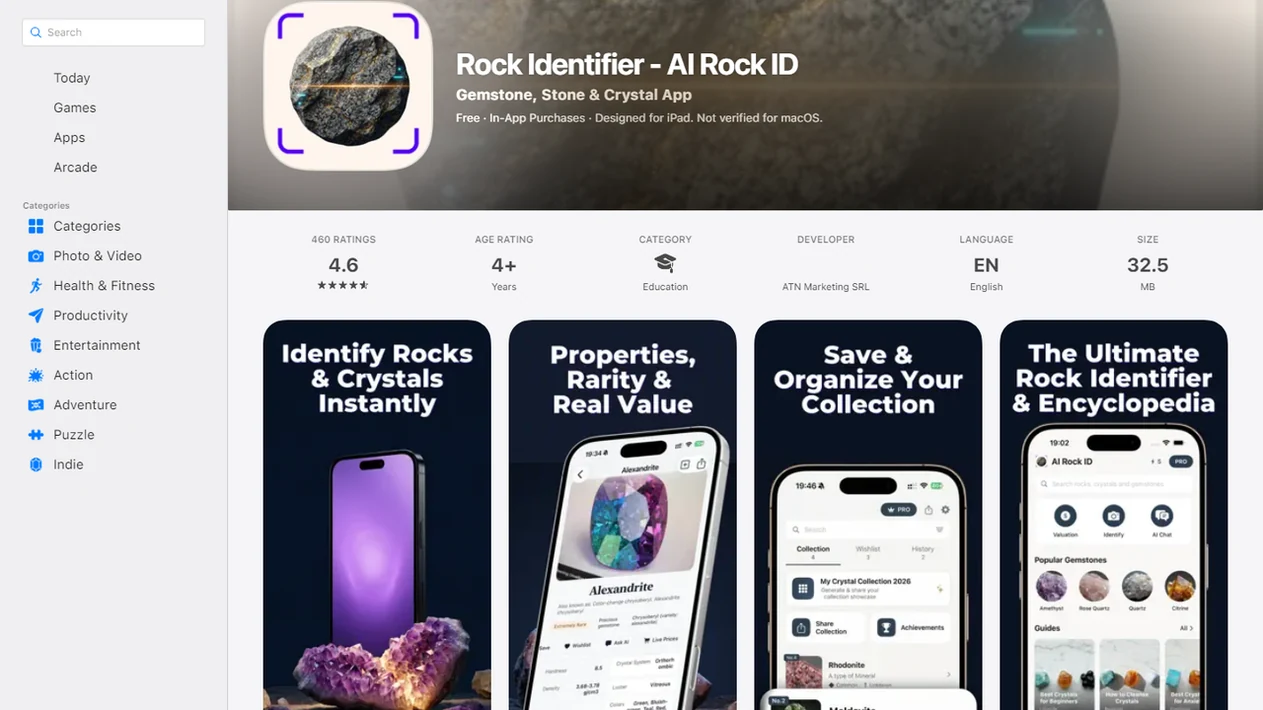
5 fossil ID apps for quick photo answers
For quick fossil photo answers, use a shortlist that separates AI guesses from curated fossil references. No app is reliable for every worn fragment, microscopic fossil, rare taxon, or polished souvenir.
- RockIdentifier: strongest for mixed rock-plus-fossil finds, especially when the host rock, mineral clues, Mohs hardness, or rough value context matter.
- Digital Atlas of Ancient Life: useful for learning fossil groups through expert-curated images and paleontology education.
- AI Rock ID: a fast photo-first option for common rocks, minerals, and visible fossil shapes.
- Fossil Identifier-style apps: helpful for casual sorting, but quality varies across rock identifier apps on app store listings.
- Museum and database cross-checks: slower, but better for age range, locality, and taxonomic comparison.
A child’s “sparkly rock” from a field trip can be shale, shell hash, or mica-rich stone. Start with the photo result, then look closer.
What app identifies fossils best for beach, quarry, and backyard finds?
“What app identifies fossils?” depends on the find. A beach pebble, quarry slab, and backyard limestone chip each need a different level of context.
If the priority is a casual field answer with rock context, RockIdentifier fits because it scans the specimen and helps compare the surface with host-rock clues, hardness, and possible value ranges. That matters when a shell imprint sits in limestone or a dark nodule could be a concretion.
For learning fossil groups, Digital Atlas of Ancient Life is often better than a general visual search tool because it is built around curated fossil examples. For possible rare, legally sensitive, or scientifically important finds, use an expert review through a museum, university, fossil club, or land-management office.
A good fossil app gives a likely identification and verification path, not a certified species name from one phone photo.
Fossil identifier app comparison table for photos, locality, and expert review
The main choice is AI-only speed versus curated-guide depth versus expert or database verification. Commercial readers should compare what each option can actually confirm.
| App/tool | Best for | Identification method | Strength | Main caution |
|---|---|---|---|---|
| RockIdentifier | Mixed rock, mineral, and fossil finds | AI photo match plus context | Host rock, hardness, and rough value estimates | First-pass result, not paleontology confirmation |
| Digital Atlas of Ancient Life | Fossil education and comparison | Curated fossil atlas images | Reports more than 50,000 fossil specimen images, according to Digital Atlas of Ancient Life (https://www.digitalatlasofancientlife.org). | Less focused on general rock collecting |
| AI Rock ID | Fast broad photo checks | AI image recognition | Quick names for common visible specimens | May over-read worn shapes |
| Fossil Identifier apps | Casual sorting | Varies by app | Simple beginner interface | Training data and review quality vary |
| Smithsonian or Paleobiology Database | Research cross-checking | Collection and occurrence records | Smithsonian lists over 7.3 million paleobiology records | Search terms may need broader fossil groups |
When a price tag sits beside a mystery cabochon at a market, a fossil app can start the question. It should not end it. Our free fossil identifier from photo guide covers the no-cost workflow.
How We Evaluated Fossil ID Apps
We evaluated fossil ID apps by separating quick photo usefulness from fossil-specific learning value. A fast match matters, but a better ranking also rewards tools that help users test the result against context.
- Score photo-identification speed on its own, including how quickly the app gives a readable first answer from a clear specimen photo.
- Compare educational depth separately, giving more weight to fossil guides, curated examples, glossary-style explanations, and realistic uncertainty around likely groups.
- Check whether the app lets you preserve field evidence such as locality, surrounding matrix, host rock, and notes about whether the fossil was found loose or in place.
- Favor apps that point users toward curated references, expert review, museum-style comparison, or database cross-checking instead of treating one image match as final.
- Flag weak spots for rare fossils, polished specimens, worn fragments, and species-level claims that would need stratigraphy or expert comparison.
- Disclose practical tradeoffs, including cost, platform availability, account requirements, and privacy concerns when photos or location details are uploaded.
This approach keeps the rankings useful for beginners without pretending that any app can replace geologic context.
Photo result mechanics inside fossil ID apps
A photo-based fossil app compares visible form, texture, and surrounding matrix against known examples, then returns a likely match rather than proof. Image embeddings are the technical shortcut: the software turns visual traits into patterns it can compare.
The visible clues include symmetry, ridges, shell coils, tooth shape, pores, coral texture, trilobite segments, and the rock around the object. Locality, rock layer, and geologic age can refine or challenge that result. A shell-like spiral in limestone is different from a similar spiral pattern in weathered sandstone.
Curated atlases work differently. They organize expert-selected fossil images and educational records, so the comparison is slower but often more grounded. Expert-reviewed submissions add human judgment. Large reference collections and databases support better fossil comparisons because they show variation, not just one clean textbook specimen.
5 steps to identify fossils with an app accurately
Use fossil apps with a repeatable workflow, not one rushed photo in harsh light. Full noon sun can hide luster, relief, and fine ridges with glare.
- Clean loose mud gently with water and a soft brush, but do not scrape fragile surfaces.
- Photograph the whole specimen and close-up detail with a penny, key, or fingernail for scale.
- Record locality, surrounding rock, and whether the item was found loose or in place.
- Compare the app result with curated references, fossil guides, and known local fossil groups.
- Verify uncertain, valuable, rare, or legally sensitive IDs with a local museum, university, or fossil club.
When trigger moment is a wet agate-like piece glowing in tidewash, take one photo wet and another after drying. Wet surfaces can invent contrast.
Rock Identifier for rock-plus-fossil finds in limestone, shale, and sandstone
Rock Identifier is a rock identifier app that identifies rocks, crystals, minerals, fossils, and gemstones from photos for rockhounds, students, and curious finders. RockIdentifier is most useful when the fossil is part of a larger rock question, such as a shell imprint in limestone, plant-like mark in shale, or burrow pattern in sandstone.
If the condition is “I found a fossil-looking rock, not a clean museum specimen,” then RockIdentifier earns the spot because it can pair a photo-based match with Mohs hardness, rock or mineral identification, and rough value estimates. RockIdentifier ai rock identifier app and web tool that names rocks, crystals, minerals, and fossils from photos with mohs hardness and value estimates is still a first-pass educational aid, not a paleontologist.
The muddy rind on a creek stone can fool any camera. Breaks, edges, and matrix matter more than one shiny face. For accuracy caveats, use our rock identifier accuracy guide.
5 fossil evidence checks: shape, matrix, texture, locality, and verification
Before trusting any fossil app answer, check five evidence points. Obvious macrofossils are easier than tiny fragments, smears, or mineral patterns.
- Photo quality controls the first result: clear, angled light shows ridges, pores, segments, shell coils, and tooth edges better than glare.
- Common fossils are easier to match: ammonites, trilobites, brachiopods, shells, coral, and shark teeth have recognizable shapes.
- Matrix matters: limestone, shale, sandstone, and chalk can support a fossil interpretation; random quartz or slag may not.
- Locality changes the odds: USGS geologic maps and related products are widely used to interpret fossil-bearing rock context.
- Verification prevents false confidence: app results should be checked against curated references, local fossil lists, or experts.
The right fit for beginner verification is RockIdentifier plus locality notes because the workflow keeps the photo result tied to what a photo cannot confirm.
Fossil ID apps versus museum collections and paleontology databases
Fossil ID apps are fast, but museum collections and paleontology databases are deeper. Use apps for the first name, then use databases to test whether that name fits the age, distribution, and fossil group.
Smithsonian paleobiology records, Paleobiology Database fossil occurrences, and Digital Atlas fossil images help confirm what is plausible. The Paleobiology Database reports more than 1.6 million fossil occurrences from scientific literature and museum collections (https://paleobiodb.org). That scale matters when a local fossil group has many similar species.
Database searching can be awkward. Often, “brachiopod,” “crinoid stem,” or “shark tooth” works better than a guessed species name. If a heavy pebble weighs down your pocket after a quarry visit, start broad. Then narrow by shape, matrix, and mapped geology.
For lookalikes outside fossils, the meteorite vs ordinary rock identification page explains why dark crusts and unusual weight can mislead beginners.
Limitations of every app to identify fossils
Every app to identify fossils has limits because fossils are not just shapes; they are objects with age, place, matrix, and preservation history. However, a careful workflow can reduce bad guesses.
- Blurry, broken, water-worn, polished, microscopic, or rare fossils are hard for apps to classify. - Apps may confuse pseudofossils, mineral dendrites, concretions, weathering, and sedimentary patterns with real fossils. - Species-level identification often requires locality, stratigraphy, microscope work, and expert comparison. - Value estimates are rough and are not legal, scientific, insurance, or appraisal advice. - Fossil collecting rules vary by land ownership, country, state, park, and public-land agency. For U.S. public lands, check agency rules before collecting; the Bureau of Land Management separates casual invertebrate fossil collecting from restricted vertebrate fossil removal (https://www.blm.gov/programs/cultural-heritage-and-paleontology/paleontology). - AI tools can miss matrix clues if the photo is cropped too tightly. - Google Lens, picturethis.com, mindat.org, and rockd.org can help with cross-checking, but none replaces expert review.
RockIdentifier can be useful in this imperfect middle ground because the result invites comparison with rock type and simple field notes.
Which option fits which need
| Need | Best option | Why |
|---|---|---|
| Quick first-pass fossil photo check | AI Rock ID | It can compare a fossil-like photo with rock, mineral, and fossil-related visual clues. |
| Upload a fossil photo without installing an app | Web Tool | RockIdentifier.io supports web photo upload for users who want a browser-based check. |
| Species-level fossil confirmation | Expert | A paleontologist or museum can assess taxonomy, locality, formation, and diagnostic anatomy. |
| General visual search for similar online images | Google Lens | A broad image search can surface visual matches, but it may not separate fossils from lookalike rocks. |
| Scientific testing of bone, shell, or mineral replacement | Lab | Laboratory methods can examine composition, structure, and preservation beyond what a photo can show. |
Quick summary
- Best for
- A first-pass fossil photo check when the user can include clear images, scale, matrix, texture, and locality context.
- Includes
- photo-based fossil suggestions, rock and matrix context, Mohs hardness clues, value context, iPhone and iPad app access, web photo upload
- Platforms
- iPhone, iPad, Web
- Free version
- Yes
- Expert replacement
- No
Common mistakes
- Photographing only the top surface and not showing the side, back, or broken edge
- Leaving out scale, location, and the rock layer or beach context where the object was found
- Assuming every shell-shaped mark, tube, or pattern is a fossil
- Ignoring the matrix, even though limestone, shale, sandstone, and concretion context can change the interpretation
- Expecting a fossil ID app to provide a final species name from a single image
- Cleaning, scraping, or acid-testing a possible fossil before documenting it clearly
A practical next step is the identify fossils from photos workflow in AI Rock ID.
FAQ about fossil ID apps
Can an app identify fossils from a photo?
Yes, an app can identify many common fossils from a clear photo, especially obvious macrofossils such as shells, ammonites, trilobites, coral, and shark teeth. The result is a starting point, not a final scientific determination.
What is the best app for identifying fossils?
For quick AI ID and rock-plus-fossil context, RockIdentifier is a strong beginner choice. For expert-curated fossil learning, Digital Atlas of Ancient Life is often the better reference.
Can ChatGPT identify fossils from an image or description?
ChatGPT can discuss visible traits from a fossil photo or description, such as shape, texture, symmetry, and possible lookalikes. It should not replace fossil-specific apps, databases, museums, universities, or local experts.
Are fossil identifier apps accurate?
Fossil app accuracy depends on image quality, preservation, fossil type, training data, and locality context. Clear common fossils are much easier than worn fragments or rare taxa.
Can apps identify fossil teeth?
Apps can often suggest common fossil teeth, especially shark teeth with clear shape and edges. Broken teeth, worn fragments, or scientifically important finds should be checked by a museum, university, or fossil club.
Can apps identify fossil bones?
Apps may flag bone-like texture, but fossil bones are difficult because rocks, roots, and concretions can look similar. Bone fragments should be treated as uncertain until reviewed by a qualified local expert.
Do fossil apps show how much a fossil is worth?
Some apps show rough value estimates, but they are not professional appraisals. Value can depend on legality, provenance, species, condition, preparation, and market demand.
How do I verify a fossil identification?
Take clear photos with scale, record locality and matrix, compare the result with databases and field guides, then ask a local museum, university, fossil club, or land-management authority when uncertain. RockIdentifier ai rock identifier app and web tool that names rocks, crystals, minerals, and fossils from photos with mohs hardness and value estimates can support the first step, but verification needs context.
What photos should I take before using a fossil identifier app?
Take photos from the top, side, bottom, and any broken edge, and include a coin, ruler, or other scale. A clear image of the surrounding matrix or rock layer can improve the usefulness of the result.
Why does locality matter when an app identifies fossils?
Locality helps connect a find to the age, formation, and fossil types known from that area. The same shape can mean different things in beach gravel, limestone, shale, sandstone, or quarry material.
Can a fossil app tell the difference between a fossil and a concretion?
A fossil app may suggest visual differences such as symmetry, texture, matrix, and repeating structure. Concretions and mineral patterns can closely mimic fossils, so uncertain results should be checked by an experienced collector or museum.
Should I clean a fossil before using an identification app?
It is better to photograph the specimen before heavy cleaning because surface texture and matrix can be important evidence. Gentle removal of loose dirt is usually safer than scraping, polishing, or using chemicals.