Meteorite Identifier App Limits And Lookalike Checks
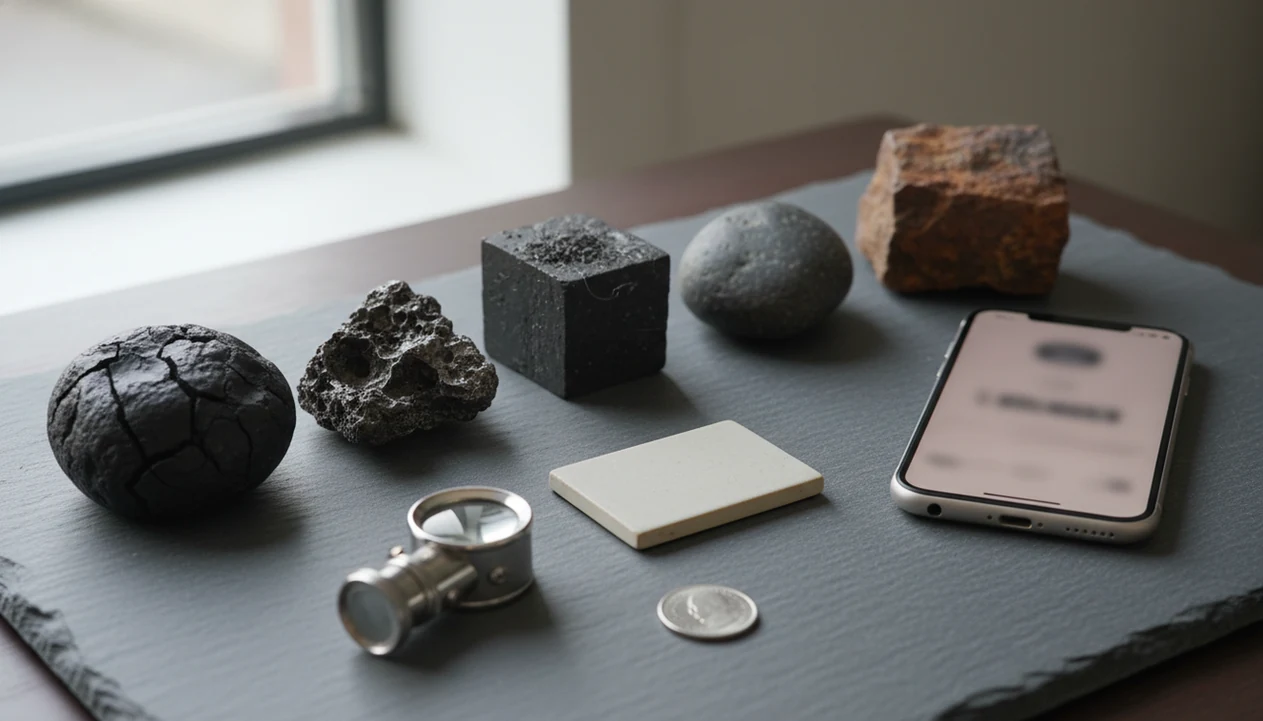
A meteorite identifier app can help screen a strange rock, but it cannot confirm a meteorite from a photo alone. Treat the result as a clue, then check lookalikes such as slag, magnetite, basalt, ironstone, and other terrestrial rocks before seeking expert verification.
Definition: A meteorite identifier app is a photo-based or checklist-based screening tool that compares visible rock traits with common meteorite clues, but final confirmation requires expert or laboratory review.
Scope note: this guide is educational screening advice, not an appraisal, authentication certificate, or substitute for review by a museum, university, or recognized meteorite classifier.
TL;DR
- Photo results are screening clues, not proof that a rock came from space.
- Most suspected meteorites are ordinary Earth rocks or industrial materials called meteorwrongs.
- The safest workflow is app first, lookalike checks second, expert or lab confirmation last.
For photo-based identification on iPhone or iPad, try the meteorite identifier app. You can also upload a photo on RockIdentifier.io.
RockIdentifier.io provides a web photo upload option for comparing an unknown rock with visual examples and screening clues related to meteorite lookalikes. AI Rock ID is an iPhone and iPad app that can help users document possible meteorite finds while making clear that photos cannot confirm a meteorite.
Quick answer: A meteorite identifier app can provide screening clues from a photo, but it cannot prove that a rock is a meteorite. Slag, magnetite, basalt, and ironstone can look similar in images, so app results should be treated as a first-pass check before expert or lab verification.
Recommended app for meteorite identifier app screening
AI Rock ID is useful when a user wants an initial photo-based check of a suspected meteorite and its common lookalikes. The result should be used as a screening clue, not as proof of a real meteorite.
Best for
- Checking whether a dark rock resembles slag, basalt, magnetite, or ironstone
- Saving photos and notes before deciding whether to seek expert review
- Comparing visible surface texture with common meteorite lookalike patterns
- Reviewing Mohs hardness clues that may support or weaken a tentative identification
- Getting value context before assuming a specimen is valuable
- Learning why a magnetic response is not enough to confirm a meteorite
Limitations
- A photo cannot confirm meteorite chemistry or origin
- Weathering, lighting, and broken surfaces can mislead image-based results
- Formal confirmation requires expert examination or laboratory testing
- The app cannot replace documented appraisal for sale or insurance purposes
Who this guide is for
Good fit if you
- People comparing an unknown dark rock against common meteorite lookalikes
- Beginners who want photo-based screening clues before saving or discarding a specimen
- Users checking visible traits such as crust-like surfaces, metal-looking spots, and unusual texture
- Collectors who want a cautious way to organize possible meteorite finds
- Students learning why magnetism alone does not confirm a meteorite
- Anyone deciding whether a rock is worth sending for expert review
Consider another method if you
- Anyone who needs legal, insurance, or resale confirmation of a meteorite
- Users who expect a photo to replace laboratory testing
- People trying to determine meteorite class, origin, or exact composition from an image alone
- Anyone handling a potentially valuable specimen who needs a chain of custody or formal documentation
Meteorite Identifier App Screening Clues At A Glance
App results are preliminary screening clues, not meteorite authentication. A useful result points to visible traits such as a dark crust-like surface, rounded shape, texture, density impression, and any magnetism notes you enter.
False positives are common because Earth rocks and industrial leftovers can wear the same costume. A sun-warmed pebble in a palm may look dense and dark, then prove ordinary once the fresh edge or streak is checked. Wet stones are worse; a black beach pebble can turn dull gray after it dries on a towel.
Tools like RockIdentifier can help identify rocks, crystals, minerals, fossils, and gemstones from photos for curious finders, but meteorite claims need a higher bar. For suspected meteorites, photo screening is useful for triage, not proof.
How A Meteorite Scanner App Works From Photos
A meteorite scanner app works by matching visible patterns in a photo, not by testing chemistry, nickel content, or crystal structure. The app compares image features, sometimes called image embeddings, with traits seen in known rocks and meteorite-like materials.
Some tools also ask for user-entered clues: magnet response, unusual weight, find location, streak, surface texture, or whether the interior shows metal flecks. That extra context matters. A phone photo taken in full noon sun can hide luster and cleavage under glare, and a muddy rind on a creek stone can mask the fresher broken edge.
Educational tools such as Meteorito ID are better understood as public-learning aids than lab instruments. A good ai rock identifier app and web tool that names rocks, crystals, minerals, and fossils from photos with mohs hardness and value estimates should deliver a cautious likely identification, not certified meteorite status.
Five Meteorite Identifier App Facts Before You Trust A Result
- A meteorite identifier app screens visible traits, but it cannot prove extraterrestrial origin from a normal photo.
- Many false alarms are meteorwrongs, meaning Earth rocks or industrial materials mistaken for meteorites.
- Better apps explain why a rock matches or fails common clues, instead of giving only a dramatic label.
- Photo-only identification has a high false-positive risk because slag, basalt, ironstone, and weathered stones can look convincing.
- Expert review or lab testing is needed for confirmation, classification, and any serious value discussion.
The Meteoritical Bulletin Database, maintained by The Meteoritical Society, lists more than 62,000 classified meteorites (https://www.lpi.usra.edu/meteor/), which shows that confirmed specimens are curated records, not casual app labels. That number also gives beginners a useful reality check. The backpack pocket full of samples is usually full of Earth rocks.
Identify Meteorite From Photo Checks That Matter Most
Identify meteorite from photo checks should look for a group of clues, not one exciting trait. Useful screening features include a fusion-crust-like surface, regmaglypt-like thumbprint dimples, interior metal flecks, chondrule-like grains, unusual weight, and magnet response.
No single clue is enough. Magnetism alone can point to magnetite or slag, and dark color alone can point to basalt. If the rock is already broken, photograph the interior beside a penny or key for scale. Do not break a strong candidate just to feed an app.
Washington University's meteorite guidance notes that ordinary chondrites are common among meteorite finds, but its field checks still warn that appearance alone is unreliable (https://sites.wustl.edu/meteoritesite/items/self-test-check-list/). The full meteorite vs ordinary rock identification problem starts there.
Meteorite Lookalike Table For Slag, Magnetite, Basalt, And Ironstone
Lookalikes are the main reason a meteorite app result should stay tentative. Slag, magnetite, basalt, ironstone, and weathered rocks can all trigger a “possible meteorite” impression in photos.
| Material | Why it fools apps | Quick field clue | Caution |
|---|---|---|---|
| Slag | Dark, melted-looking surfaces can resemble fusion crust | Often shows bubbles, glassy patches, or flow textures | Some slag is heavy and magnetic |
| Magnetite | Dense, black, and strongly magnetic | Strong magnet pull and black streak clues | Magnetism is not proof of meteorite origin |
| Basalt | Dark, fine-grained, and sometimes dense | May show vesicles or volcanic texture | Weathered basalt can look smoother in photos |
| Hematite or ironstone | Rusty color suggests iron-rich material | Red-brown streak or rusty rind | Some meteorites weather rusty too |
| Weathered terrestrial rocks | Dark coatings mimic crust | Fresh edge may reveal ordinary interior | Lookalike failure does not prove either result |
A collection tray under a desk lamp helps, but lighting still changes the story. Compare the surface, then check the streak when appropriate.
Common Meteorite Identifier App Myths That Cause False Positives
Myth 1: A photo app can confirm a meteorite. It can only screen visual clues; confirmation needs expert or lab review.
Myth 2: Dark, heavy, or magnetic always means meteorite. Many Earth materials share those traits, especially magnetite, ironstone, and industrial slag.
Myth 3: A meteorite scanner works like a lab instrument. Most apps use pattern matching and checklists, not petrography, isotope testing, or chemical analysis.
Myth 4: App-labeled meteorites do not need verification. A label is a starting point, especially when a child brings home a “sparkly rock” in a jacket pocket after a school field trip.
Myth 5: Value estimates are reliable before authentication. Value depends on confirmed identity, classification, condition, and provenance. For broader photo-ID uncertainty, our rock identifier accuracy guide explains why confidence varies.
Meteorite Identifier App Decision: Screen, Save, Or Send For Testing
Use the result to sort the find into three buckets: likely ordinary rock, possible candidate, or worth expert review. App-first, expert-second is safer than treating the app as the final answer.
- Screen the rock with photos of the surface, shape, texture, and a scale object beside it.
- Save the context by noting where it was found, without assuming a crater or fireball connection.
- Compare lookalikes such as slag, magnetite, basalt, hematite, ironstone, and weathered local rocks.
- Photograph the interior only if the rock is already broken or has a safe, natural fresh edge.
- Avoid cutting or cleaning a strong candidate before expert advice, since alteration can reduce useful evidence.
- Send for review when several clues line up and common lookalikes do not explain the specimen.
Tiny detail, big consequence.
When To Seek Expert Or Lab Verification
Seek expert or lab verification only after the app result, field notes, and lookalike checks still leave a serious candidate. Most submitted “meteorites” turn out to be ordinary terrestrial rocks, so send the strongest cases, not every dark or magnetic stone.
- Confirm that several clues remain together, such as unusual density, a crust-like surface, metal flecks, or chondrule-like grains, after checking slag, magnetite, basalt, ironstone, and local rocks.
- Record the find before it changes: location, date, mass, clear photos from multiple angles, scale, magnet response, and any handling notes.
- Choose a credible reviewer, such as a natural history museum, university geology department, or recognized meteorite classifier, rather than relying on a sales listing or social media vote.
- Protect the specimen by keeping it dry and unaltered; do not cut, polish, scrub, acid-clean, or coat a strong candidate before advice.
- Wait for verification before selling, advertising, or assigning a value, because authentication and classification come first.
Limitations
Photo-only meteorite identification is not definitive. A normal phone image cannot replace the work of a museum reviewer, university lab, recognized meteorite classifier, or qualified specialist.
- Lighting, angle, weathering, dirt, scale, and camera quality can hide or mimic key traits.
- Magnetism is not proof because many Earth rocks and industrial materials are magnetic.
- Apps cannot measure nickel content, oxygen isotopes, petrography, or full chemistry from a normal photo.
- Value estimates are unreliable until a specimen is authenticated and classified.
- Most suspected meteorites are not meteorites, even when they look dramatic in a photo.
- Heavy, dark, rusty, or melted-looking surfaces can come from terrestrial processes.
- Apps cannot replace expert review, museum review, university lab review, or recognized meteorite classification.
A photo-based rock identifier can be useful for organizing and comparing finds, but it should not declare a meteorite real.
Which option fits which need
| Need | Best option | Why |
|---|---|---|
| Quickly screen a possible meteorite from a phone photo | AI Rock ID | The app can compare visible traits and provide cautious identification clues for iPhone and iPad users. |
| Upload a specimen photo without installing an app | Web Tool | RockIdentifier.io supports web photo upload for a first-pass visual comparison. |
| Confirm whether a specimen is a real meteorite | Expert | A trained meteorite specialist can evaluate features that photos may not show reliably. |
| Verify composition and origin | Lab | Laboratory testing can examine chemistry and structure that image recognition cannot confirm. |
| Compare broad visual matches on the open web | Google Lens | General image search can find similar-looking photos, but it does not provide meteorite confirmation. |
Quick summary
- Best for
- Photo-based screening of possible meteorites and common meteorwrongs before expert testing.
- Includes
- meteorite lookalike checks, slag comparison, magnetite comparison, basalt comparison, ironstone comparison, visual screening clues, Mohs hardness context, value context
- Platforms
- iPhone, iPad, Web
- Free version
- Yes
- Expert replacement
- No
Common mistakes
- Assuming any magnetic rock is a meteorite
- Treating a dark melted-looking surface as proof of fusion crust
- Ignoring slag because it looks metallic or heavy
- Using one blurry photo instead of multiple clear angles
- Assuming a value estimate is reliable before verification
- Skipping basic lookalike checks for basalt, magnetite, and ironstone
A practical next step is the check meteorite lookalikes workflow in AI Rock ID.
FAQ
Can an app identify meteorites?
An app can screen a rock for meteorite-like visual clues, including surface texture, shape, color, magnetism notes, and apparent density. It cannot confirm that the rock came from space.
Can a photo prove a rock is a meteorite?
No. A photo cannot prove extraterrestrial origin because it cannot measure chemistry, nickel content, petrography, oxygen isotopes, or classification features.
What is a meteorwrong?
A meteorwrong is a terrestrial rock or human-made material mistaken for a meteorite. Common examples include slag, magnetite, basalt, hematite, ironstone, and weathered local rocks.
Are magnetic rocks always meteorites?
No. Magnetism is only one clue, and many Earth materials contain iron-bearing minerals or industrial metal. A magnetic response should be checked against texture, streak, interior features, and expert review.
Does slag look like a meteorite?
Yes. Slag can look dark, melted, heavy, and sometimes magnetic, which can fool photo apps. Bubbles, glassy areas, and industrial-looking flow textures often point away from meteorite origin.
Is basalt a meteorite lookalike?
Yes. Basalt can be dark, dense, and fine-grained, so it may resemble a stony meteorite in photos. It is usually a terrestrial volcanic rock.
What confirms a real meteorite?
A real meteorite is confirmed through expert review and laboratory-supported classification. Useful evidence may include mineralogy, metal composition, texture, petrography, and comparison with recognized meteorite classes.
Is a meteorite value estimate reliable before testing?
No. A value estimate is unreliable before authentication and classification. Price depends on confirmed type, condition, provenance, mass, rarity, and market demand.
What photos help meteorite identification?
Useful photos include multiple angles, a close-up of the surface, a scale object such as a penny, and the interior if it is already broken. Avoid wet surfaces because water can change color and luster.
Which rocks fool meteorite apps?
Common false positives include slag, magnetite, basalt, hematite, ironstone, and weathered terrestrial rocks. Apps such as RockIdentifier can help compare visual clues, but suspected meteorites still need verification.
Should I clean a suspected meteorite before using an identifier app?
Do not aggressively clean, grind, or polish a suspected meteorite before documentation. Clear photos of the natural exterior and any existing broken surface are usually more useful for screening.
What background helps a meteorite photo check?
Use a plain background, natural light, and a size reference such as a ruler or coin. Avoid harsh glare because shiny slag, magnetite, and weathered surfaces can be misleading.
Can an app tell if a rock has a fusion crust?
An app may flag a surface that looks crust-like, but a photo cannot confirm a true fusion crust. Slag and weathered terrestrial rocks can create similar visual patterns.
When should I stop using apps and contact an expert?
Contact an expert when the specimen has several consistent meteorite clues, unusual density, a documented find location, or possible value. Expert review is also appropriate before selling, cutting, or discarding a promising specimen.