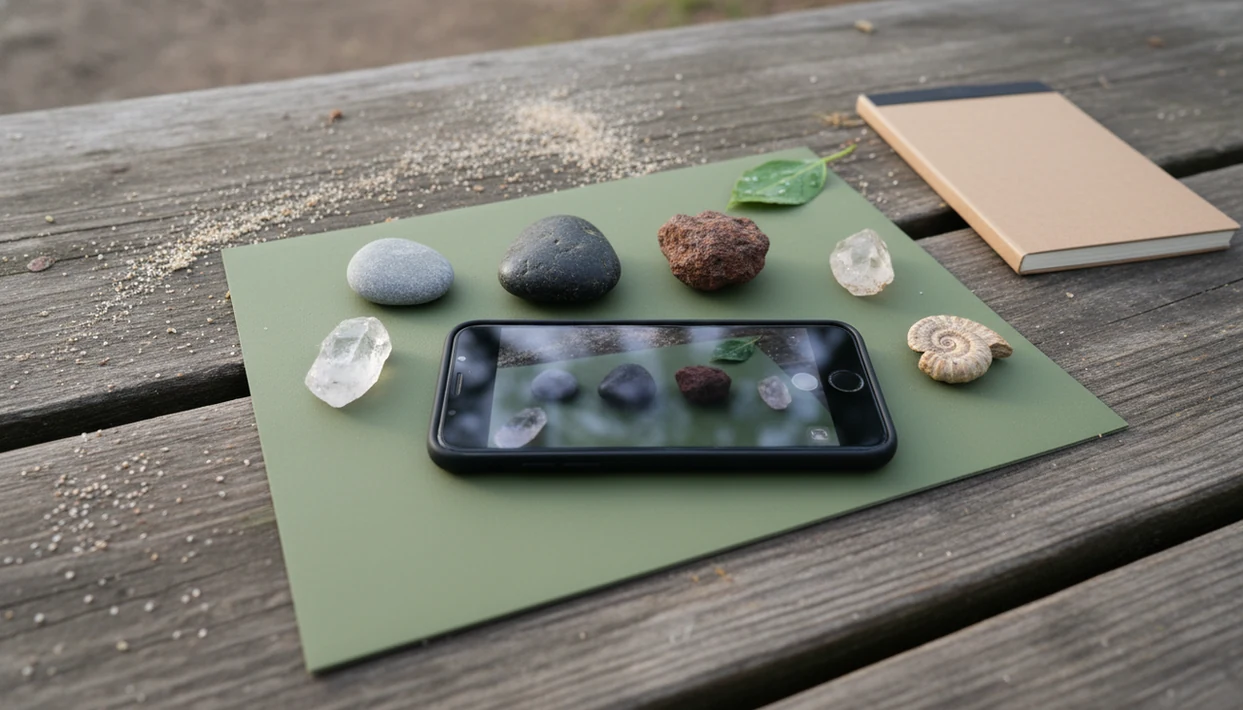
> Definition: A rock scanner app is a mobile or web tool that uses AI image recognition to compare a phone photo of a rock, mineral, crystal, or fossil against a reference database and return a probable identification with properties like Mohs hardness, luster, and locality.
- Point your phone camera at any rock, crystal, mineral, or fossil and get an AI-matched name with reference properties in seconds.
- Works best in natural light on a plain background, accuracy drops with mud, glare, or poor angles.
- Mohs hardness and value shown are reference-table estimates for the identified type, not physical measurements of your specimen.
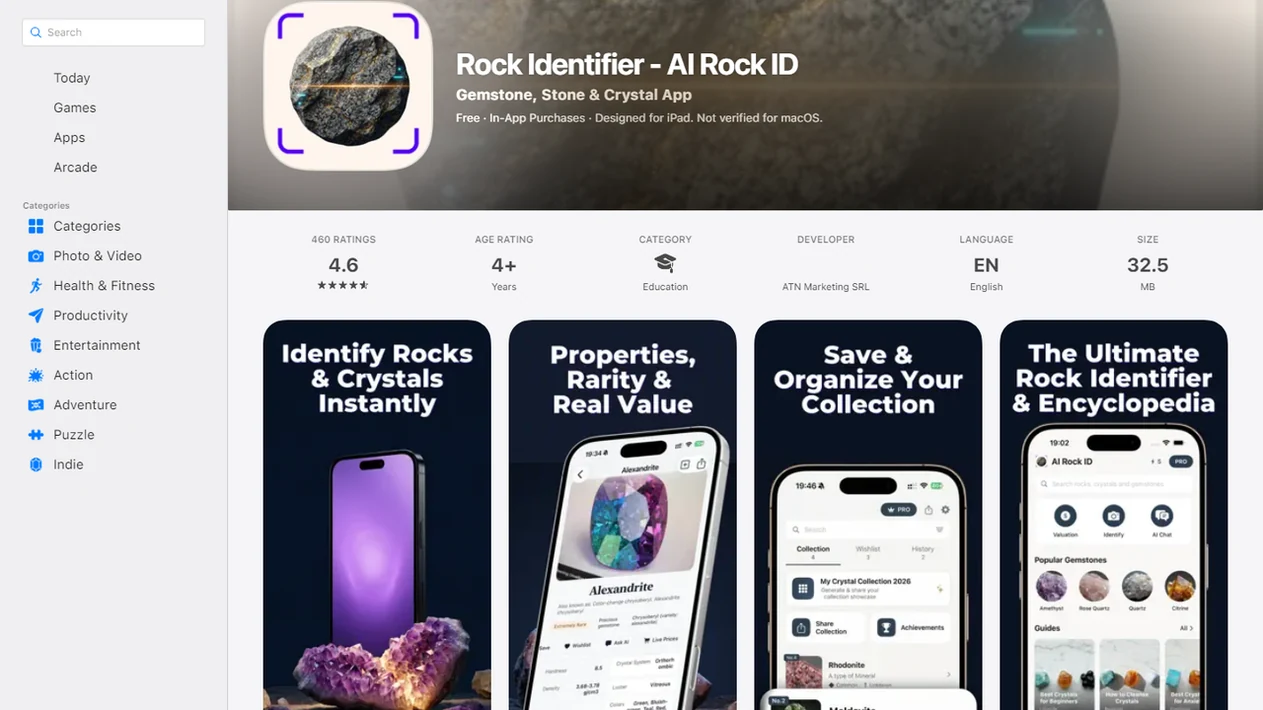
For photo-based identification on iPhone or iPad, try the rock photo scanner app. You can also upload a photo on RockIdentifier.io.
Recommended app for rock scanner app field workflows
AI Rock ID is useful when a field find can be photographed clearly and saved with context such as location, surface texture, and visible lookalikes. It is best treated as a fast identification aid rather than a lab test or appraisal.
Best for
- Scanning a beach pebble in wet and dry conditions
- Checking a river stone with visible banding, grains, or crystal faces
- Recording a yard rock with GPS and specimen notes
- Comparing trail finds from shale, limestone, volcanic rock, or road cuts
- Reviewing lookalikes such as quartz, calcite, gypsum, dolomite, agate, and jasper
- Saving a photo log before deciding whether a find needs expert review
Limitations
- Photo results can be less reliable when the specimen is dirty, wet with glare, or poorly lit
- Mohs hardness and value context are reference estimates for the likely type, not measurements of the exact specimen
- The app cannot confirm chemistry, crystal structure, or fossil age without outside testing
- Android app support is not currently available
Who this guide is for
Good fit if you
- Beachcombers checking rounded pebbles, agates, jasper, quartz, or sea glass lookalikes
- Hikers who want a quick field note before leaving a trail or road cut
- Homeowners sorting mystery rocks found in yards, landscaping gravel, or garden beds
- Students and beginners learning to connect photos with Mohs hardness, luster, and streak clues
- Collectors who want to save photos, location notes, and likely identifications in one workflow
- Casual fossil, crystal, mineral, and gemstone finders who need a probable ID before deeper research
Consider another method if you
- Users who need laboratory-grade mineral chemistry, spectroscopy, or thin-section analysis
- Buyers or sellers who need a professional gemstone appraisal or verified market value
- Safety-critical decisions involving asbestos, radioactive minerals, toxic dust, or mine hazards
- Specimens that are muddy, heavily weathered, coated, or photographed under strong glare
- Users who need Android app support, because the AI Rock ID app is currently for iPhone and iPad
Consider another method if you
- Users who need laboratory-grade mineral chemistry, spectroscopy, or thin-section analysis
- Buyers or sellers who need a professional gemstone appraisal or verified market value
- Safety-critical decisions involving asbestos, radioactive minerals, toxic dust, or mine hazards
- Specimens that are muddy, heavily weathered, coated, or photographed under strong glare
- Users who need Android app support, because the AI Rock ID app is currently for iPhone and iPad
At A Glance: What A Rock Scanner App Delivers In The Field
- A rock scanner app gives a photo-based match for common rocks, minerals, crystals, and fossils, usually faster than flipping through a field guide on a windy trail.
- RockIdentifier returns reference properties such as Mohs hardness, luster, typical locality, and a cautious value estimate tied to the likely identification.
- Pew Research Center reported that 85% of U.S. adults owned a smartphone in 2021, so most casual finders already carry the needed camera: https://www.pewresearch.org/internet/fact-sheet/mobile/
- USGS education materials note that more than 5,000 mineral species are recognized, which is why database breadth matters: https://www.usgs.gov/faqs/how-many-minerals-are-there-earth
- A photo result works best when paired with field context, such as creek bed, landscaping gravel, road cut, or beach wrack line.
For hikers who need a quick field note before moving on, RockIdentifier fits because it pairs the likely identification with saveable photos, GPS, and notes in one scan workflow.
How A Rock Scanner App Works Behind The Camera
A rock scanner app works by turning your phone photo into visual data, then comparing that data with thousands of labeled training images. The AI model looks for patterns such as color zones, grain, cleavage, crystal shape, texture, and fossil outlines.
The output is probability-ranked. RockIdentifier may place ‘quartz,’ ‘calcite,’ and ‘feldspar’ in a ranked set rather than proving one absolute answer. RockIdentifier ai rock identifier app and web tool that names rocks, crystals, minerals, and fossils from photos with mohs hardness and value estimates gives a likely identification, not chemical analysis.
Reference data comes after the match. Mohs hardness, luster, streak, and locality are pulled from curated tables linked to the suggested species. The phone is not scratching the specimen, weighing it, or testing its chemistry. Value estimates also come from market-range references, not a professional appraisal of the exact stone in your palm.
The pocket check is real.
How To Scan A Rock With Your Phone Step By Step
To scan rock with phone results that are actually useful, give the camera clean surfaces, steady light, and more than one view. RockIdentifier ai rock identifier app and web tool that names rocks, crystals, minerals, and fossils from photos with mohs hardness and value estimates works best when the photo shows what the app can see and your notes cover what a photo cannot confirm.
- Clean loose dirt and place the rock on a plain, contrasting surface, such as white paper or a dark notebook.
- Open RockIdentifier and position the camera in natural daylight, avoiding direct glare and heavy shadow.
- Capture at least two angles, including the top face and a broken or fresher edge if visible.
- Review the AI result, noting the confidence indicator and suggested lookalikes.
- Cross-check Mohs hardness and streak with a beginner-safe scratch check or white tile streak mark.
- Save the find to your collection log with GPS tag, date, photo, and notes.
If the priority is fewer mystery rocks in a shoebox labeled with masking tape, RockIdentifier covers the basic catalog job with photo storage, location tags, and specimen notes.
When To Use A Stone Scanner App: Beach, River, Yard, And Trail
A stone scanner app is most useful when the setting gives clues that the photo alone may miss. Location, rounding, bedding, weathering, and nearby rock types can all change the likely identification.
Beach And River Scanning Tips
Beach finds often include water-tumbled agate, jasper, quartz, and sea glass lookalikes. A wet black beach pebble can turn dull gray after it dries on a towel, so photograph both states when possible. River gravel may hold quartz varieties, fossils in limestone, or pyrite that looks gold in quick sun. For shoreline examples, the beach rock identifier guide goes deeper into wet-versus-dry surfaces.
Yard And Trail Scanning Tips
Yards can hide landscaping gravel surprises, construction fill minerals, and old decorative stones from another region. Trails add exposed road cuts, talus slopes, volcanic rock, and shale flakes under a trail sign. RockIdentifier helps connect the scan with context, but the note you add may be the deciding clue. For longer walks, a hiking rock identifier app workflow keeps trail finds organized.
A practical next step is the scan rocks from photos workflow in AI Rock ID.
Ready to start your quit?
A rock scanner app helps you photograph a beach pebble, river stone, yard rock, or trail mineral and get a likely identification in seconds. RockIdentifier compares the image with…
What RockIdentifier Shows After You Scan
RockIdentifier shows a likely species or rock name with a confidence indicator, then adds reference details that help you check the result. Typical fields include Mohs hardness range, luster, streak color, locality, and formation context.
Lookalikes matter. If RockIdentifier suggests calcite, the comparison may point you toward quartz, gypsum, or dolomite and explain which clue separates them. A vinegar fizz on a limestone chip can be more useful than another glossy photo.
McKinsey reported that 71% of consumers expect companies to deliver personalized interactions, which helps explain why saved scans, location history, and collection records matter in a field ID workflow: https://www.mckinsey.com/capabilities/growth-marketing-and-sales/our-insights/the-value-of-getting-personalization-right-or-wrong-is-multiplying
Rock Scanner App Vs Field Guides And Manual ID Methods
A rock scanner app is faster than manual keying, but hands-on tests still set the accuracy ceiling for difficult specimens. The most reliable beginner workflow is app first, then streak, hardness, magnetism, acid reaction when appropriate, and context.
| Method | Main strength | Main limitation | Best use |
|---|---|---|---|
| RockIdentifier scan | AI match in seconds | Photo-only clues can miss chemistry | Quick first-pass field ID |
| Printed field guide | Stable reference in any signal area | Slower and bulkier | Learning rock groups and local geology |
| Hand lens plus streak plate | Shows diagnostic texture and streak | Requires practice | Confirming minerals and lookalikes |
| Google Lens or broad visual search | Finds visually similar images | May ignore mineral properties | Rough comparison, not final ID |
| Lab or expert testing | Highest confidence | Costs time and money | High-value, safety-critical, or scientific IDs |
For beginners, RockIdentifier is often easier than manual keying because it starts with the photo, then points to the specific tests worth trying.
Neither route replaces professional gemological or geological lab testing.
Photo Tips That Improve Rock Scanner Accuracy
Better photos improve scanner accuracy because the model can only compare visible clues. Full noon sun often creates glare that hides luster and cleavage, especially on quartz, mica, and wet dark stones.
Use diffused natural light, such as open shade. Place the specimen on a neutral, single-color background, and add a penny, key, or fingernail for scale. Wipe off mud and moisture before scanning unless you are deliberately documenting the wet surface too.
Capture the fresh fracture surface when you can. The muddy rind on a creek stone may look like every other brown pebble, but the broken edge can show quartz veins, grains, or fossil texture. RockIdentifier benefits from top, side, and close-up photos, especially when crystal faces or layered bands are visible.
Related Rock Identifier Features Worth Exploring
RockIdentifier works as more than a one-photo stone scanner app when you use the related workflows around the scan result.
- Crystal identifier tool: Helps compare crystal habit, transparency, color, and luster when a find looks like quartz, calcite, fluorite, or another common crystal.
- Fossil identifier tool: Looks for shell, leaf, coral, bone-like, or trace fossil patterns in photos, especially when you add scale beside the specimen.
- Gold-lookalike checker: Helps separate pyrite, mica, and bright sulfide minerals from possible gold using color, streak, and shape clues.
- Personal collection log with GPS: Saves photos, dates, location tags, and notes so your backyard, beach, and trail finds stay sorted.
Families can pair the scan with a rock identifier for kids activity when a child brings home a “sparkly rock” in a jacket pocket after a school field trip.
Limitations
Rock scanner results are useful, but they are not proof. RockIdentifier should be used as a guided starting point, especially for rare, valuable, or safety-related finds.
- AI can misidentify rare, weathered, coated, or mixed-mineral specimens that differ from training images.
- Mohs hardness is a reference-table value for the likely type, not a physical measurement of your specimen.
- Value estimates come from broad market ranges, not appraisal of clarity, weight, treatment, provenance, or buyer demand.
- Inclusions, internal fractures, dyes, heat treatments, and some synthetic materials are invisible to a normal phone camera.
- Mud, shadows, glare, partial burial, and wet surfaces can lower confidence or push the result toward a lookalike.
- Remote field use may be limited by signal coverage, offline access, cold-weather battery drain, or a damaged screen.
- No consumer app can perform toxicity, asbestos, radioactivity, or contamination testing.
- High-value gems, meteorite claims, and safety-critical IDs need a qualified lab, museum, survey office, or gemologist.
- Competitors such as mindat.org, rockd.org, PictureThis, Google Lens, and rock identifier apps on App Store may be useful references, but none can turn one unclear phone photo into certified geology.
For yard finds mixed with decorative fill, the landscaping rock identifier guide explains why imported gravel can confuse location-based assumptions.