AI Tool That Identifies Rocks from a Photo
Use an ai tool that identifies rocks from a photo to turn a clear specimen image into likely rock, mineral, crystal, or gemstone matches. On iOS, use the app link from the download button when you want the camera-to-result workflow in one place.


Drop a rock photo here or tap to upload
JPG, PNG, WebP, HEIC • Max 50 MB • 1 free scan per day

Analyzing your specimen…
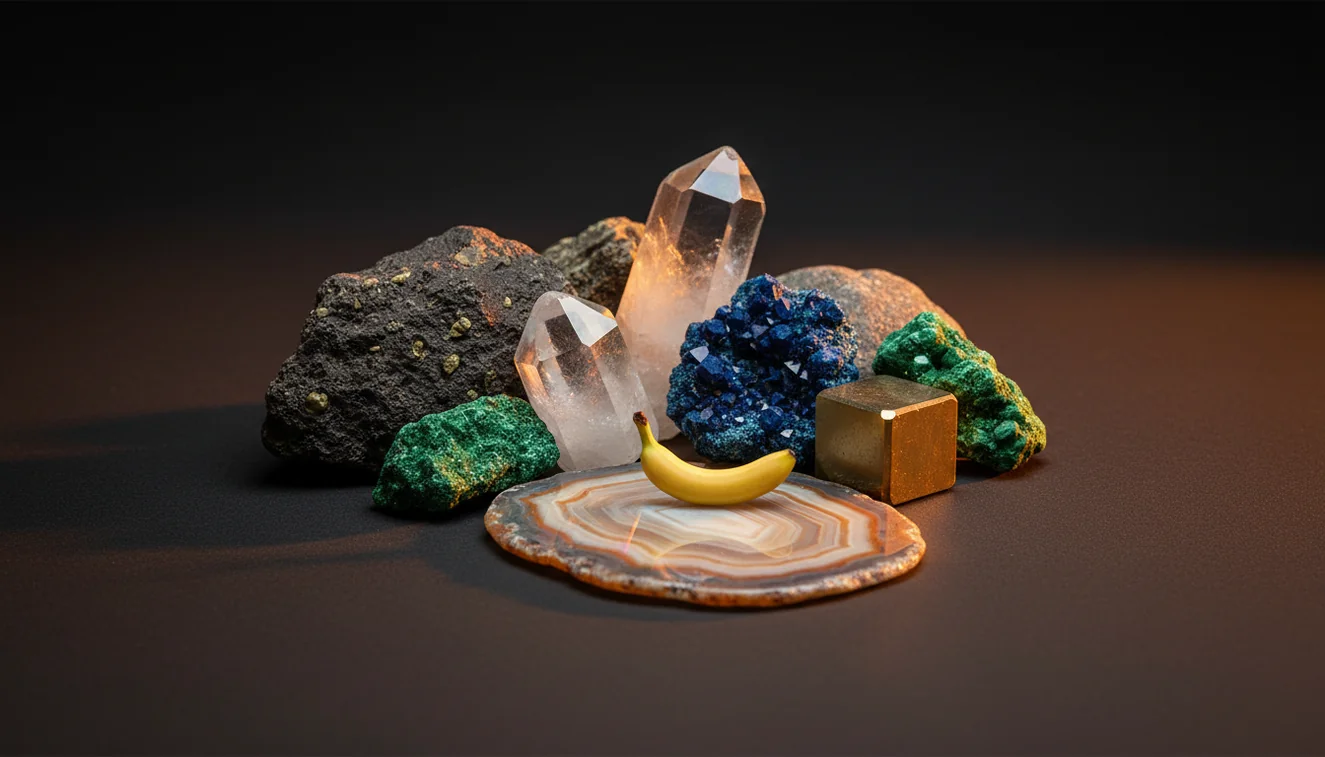
Quick answer: An AI tool that identifies rocks from a photo can turn a clear specimen image into likely rock, mineral, crystal, or gemstone matches. The result should be treated as a shortlist, not a final identification, because physical tests such as hardness, streak, cleavage, magnetism, and acid reaction are often needed for confirmation.
AI Rock ID is an iPhone and iPad app that can help users compare a rock photo with likely rock, mineral, crystal, or gemstone candidates. RockIdentifier.io provides a web photo upload option for using an AI tool that identifies rocks from a photo when a browser-based workflow is preferred.
Quick summary
- Best for
- Collectors, hikers, students, teachers, beginner rockhounds, casual mineral finders
- Works on
- Rocks, minerals, crystals, gemstones, fossils, rough field specimens
- Accuracy
- Most useful for common specimens with clear visual traits; less reliable for rare, altered, polished, mixed, or poorly photographed samples.
- Needs confirmation
- Yes
- Professional replacement
- No
- Platforms
- iPhone, iPad, Web
This guide is best for
- Beginners who want a first-pass rock or mineral name from a photo
- Rockhounds sorting field finds before doing physical tests
- Teachers and students comparing visible geology traits in classroom specimens
- Collectors organizing unlabeled rocks, minerals, crystals, or gemstones
- Hikers or beachcombers who want a quick shortlist for an unknown find
- Users comparing a photo-based result with streak, hardness, luster, and cleavage
Consider another approach if you
- Gemstone buyers or sellers who need valuation, treatment analysis, or lab documentation
- Users making meteorite, asbestos, ore-grade, or safety-critical identifications
- Anyone relying on a single blurry, wet, shadowed, or color-shifted photo
- Advanced collectors identifying rare, altered, microscopic, or mixed-mineral specimens
An ai tool that identifies rocks from a photo compares visible traits such as color, luster, grain size, banding, cleavage, and crystal habit against reference specimens. It is best used as a fast shortlist, then confirmed with streak, Mohs hardness, magnetism, acid reaction, and specific gravity when possible.
What Is an AI Tool That Identifies Rocks from a Photo?
An ai tool that identifies rocks from a photo is a photo-based lookup system that analyzes an image of a rock, mineral, crystal, gemstone, or fossil and returns likely candidate names. The result is not a lab determination; it is a practical first pass that helps you decide what physical tests to run next.
A good scan evaluates visible geology traits such as vitreous or metallic luster, granular texture, vesicles, foliation, crystal habit, weathering rind, and matrix. Photos are processed to return identification candidates, with privacy-friendly handling that keeps the task focused on specimen ID. For terminology and mineral resource context, the USGS Mineral Resources Program is a useful authority: https://www.usgs.gov/programs/mineral-resources-program.
How an AI Tool That Identifies Rocks from a Photo Works
An ai tool that identifies rocks from a photo works by extracting visual features from your image and comparing them with trained examples of known specimens. The scanner weighs traits such as color distribution, translucency, cleavage planes, grain boundaries, banding, crystal faces, matrix, and surface texture, then ranks the closest matches.
The mechanism is probabilistic, so the first result should be treated as a hypothesis. Quartz, calcite, feldspar, gypsum, and barite can overlap visually, especially in white or translucent samples. The best workflow is to scan the image, read several ranked candidates, then confirm with non-photo evidence such as streak color, Mohs hardness, acid reaction, magnetism, and fracture.
How to Use an AI Tool That Identifies Rocks from a Photo
1. Clean the specimen
Brush off loose soil and dust, but avoid wetting the surface unless you also photograph it dry. Weathering, clay, and iron staining can hide luster, cleavage, and true grain color.
2. Photograph in neutral light
Shoot in bright, indirect daylight on a plain matte background. Capture one full-specimen photo and one close texture photo showing grains, foliation, vesicles, crystal faces, or a fresh break.
3. Scan and compare candidates
Upload the clearest image and review the top matches, not only the first result. Compare each candidate with the visible habit, matrix, luster, and any listed diagnostic properties.
4. Test the physical properties
Use a streak plate, glass plate, copper coin, steel nail, small magnet, or dilute acid where safe and appropriate. Hardness and streak often separate look-alikes that photos confuse.
5. Label with confidence level
Record the candidate name, location, photo conditions, and confirming tests. If key traits disagree, label it as possible or likely rather than treating the photo result as final.
When to Use an AI Tool That Identifies Rocks from a Photo (and When Not To)
Use it when
- Use it when you need a fast shortlist for an unknown field specimen before doing streak, hardness, cleavage, or acid testing.
- Use it when the rock is too large to carry, still in an outcrop, embedded in matrix, or part of a mixed gravel sample.
- Use it for common rocks and minerals with visible traits, such as granite, basalt, sandstone, quartz, calcite, mica, feldspar, hematite, or pyrite.
- Use it when sorting collections and you need consistent first-pass names before organizing trays, labels, or classroom specimens.
Skip it when
- Do not rely on it alone for buying or selling gemstones, because value depends on treatment, origin, cut, clarity, and lab confirmation.
- Do not use it as the only method for rare minerals, ore-grade decisions, meteorite claims, or safety-critical asbestos identification.
- Do not trust a result from a single blurry, wet, shadowed, overexposed, or color-shifted indoor photo.
- Do not expect a single label for mixed rocks such as granite, gneiss, schist, conglomerate, or altered volcanic material with multiple minerals.
AI Tool That Identifies Rocks from a Photo vs Google Lens and Rock Scanner
| Feature | Rock Identifier | Google Lens | Stone Identifier Rock Scanner |
|---|---|---|---|
| Primary purpose | Rock, mineral, crystal, and gemstone photo identification with geology-focused candidate results. | General visual search across the web, including rocks but also products, images, and shopping results. | Photo identification for stones, crystals, and common collectible specimens. |
| Geology traits shown | Includes candidate names with properties such as hardness, luster, streak, cleavage, fracture, and crystal habit. | Usually depends on visually similar web images and page snippets rather than structured mineral properties. | Often provides basic stone names and descriptions, with varying depth on diagnostic mineral tests. |
| Best for | Fast field triage when you want a rock or mineral shortlist and a path to confirmation. | Finding visually similar images, local context, or web pages when the specimen resembles a known object. | Casual crystal and stone lookup when the specimen is clean, typical, and well photographed. |
| Weak point | Still requires physical tests for defensible ID and may struggle with rare, altered, or polished samples. | Can return decorative stone, product, or unrelated image matches without mineral verification. | May overfit to attractive polished or retail specimens and underperform on rough field samples. |
| Confirmation workflow | Designed to pair photo matches with streak, Mohs hardness, cleavage, magnetism, and acid reaction. | Requires the user to build their own confirmation workflow from external sources. | May suggest descriptions, but physical testing depth depends on the app and specimen type. |
Rock Identifier is strongest when you want a geology-specific shortlist, while Google Lens is useful for broad visual search and Stone Identifier Rock Scanner is a reasonable casual comparator for crystals and collectible stones.
Use Cases
- Field collecting: Use photo identification to narrow an unknown cobble, outcrop sample, or float rock before deciding whether to keep it. A quick shortlist helps you choose which tests to run once you are back at a bench.
- Classroom geology: Students can compare photo results with hand-lens observations, streak, hardness, and cleavage. The value is in learning why a candidate is plausible or wrong, not in memorizing the first returned name.
- Crystal and mineral sorting: Collectors can group unlabeled specimens by likely mineral family, then refine uncertain pieces with diagnostic properties. This is especially helpful for common look-alikes such as quartz, calcite, feldspar, fluorite, and gypsum.
- Landscaping and gravel checks: A photo-based lookup can identify common aggregate materials such as basalt, limestone, granite, sandstone, or quartzite. Mixed gravel may still return several candidates because many pieces contain multiple minerals.
- Travel and trail discoveries: When you cannot collect from a park or protected site, a photo gives you a non-destructive way to record and investigate the specimen. Add location, scale, and surrounding rock context for better later review.
AI Tool That Identifies Rocks from a Photo Limitations
- Treated stones can be misread because dyeing, heating, irradiation, coating, or stabilization changes apparent color and surface texture.
- Polished specimens often hide grain boundaries, cleavage, weathering rind, and matrix, which are important clues in rough rock identification.
- Rare minerals, unusual local varieties, and altered ore minerals may be underrepresented in image training data and need expert or lab confirmation.
- Photo quality strongly affects results; blur, harsh flash, warm indoor light, wet surfaces, shadows, and patterned backgrounds can shift the candidate list.
- Value estimates should not be made from photo ID alone because price depends on authenticity, treatment, provenance, size, clarity, cut, and market demand.
- Mixed rocks can receive an oversimplified single name even when the specimen contains several minerals, veins, inclusions, or alteration zones.
- A photo cannot directly measure Mohs hardness, streak, specific gravity, acid reaction, radioactivity, or optical properties under a microscope.
Common mistakes
- Treating the first AI photo result as a final rock identification instead of a candidate.
- Uploading only one close-up photo and leaving out the whole specimen, matrix, or fresh break.
- Photographing a wet rock and assuming the darker color represents its true dry appearance.
- Using indoor yellow light or heavy shadows that distort color, luster, and grain boundaries.
- Ignoring hardness, streak, cleavage, and acid reaction when two minerals look similar in photos.
- Expecting one label for a mixed rock such as granite, gneiss, schist, conglomerate, or altered volcanic material.
- Using photo identification alone for gemstones, meteorite claims, asbestos concerns, or ore-grade decisions.
Try an AI Tool That Identifies Rocks from a Photo
A clear photo can provide a useful shortlist for an unknown rock, mineral, crystal, or gemstone. Confirm the result with physical properties before using the identification for collection labels, buying decisions, or field notes.
Related Articles

Frequently Asked Questions
Can it identify minerals too?
Yes, a photo identifier can suggest minerals as well as rocks, crystals, gemstones, and some fossils. Confirm mineral species with streak, Mohs hardness, cleavage, fracture, magnetism, and acid reaction when appropriate.
How accurate is photo rock ID?
Accuracy is best for common specimens with clear texture, color, luster, and crystal habit. It drops for wet stones, polished pieces, mixed rocks, rare minerals, and photos taken under poor lighting.
What photos work best?
Use bright indirect light, a plain matte background, and sharp focus. Take one full-specimen photo plus one close-up that shows grains, banding, vesicles, cleavage, or crystal faces.
Can it tell quartz from calcite?
A photo may suggest quartz or calcite, but they can look similar when white, clear, or massive. A hardness test and acid reaction are the better separators: quartz scratches glass, while calcite reacts with dilute acid.
Do wet rocks scan better?
Usually no, because water darkens color, increases shine, and can hide the true luster. Photograph the specimen dry first, then add a wet image only as extra context.
Can it identify gemstones?
It can suggest possible gemstone names from appearance, especially for common rough or polished stones. It cannot verify treatment, origin, clarity grade, or market value like a gemological lab.
Why did results change?
Different angles, lighting, focus, background color, and wetness can emphasize different traits. If results change, compare the repeated candidates and use physical tests to decide which one fits.
Is one photo enough?
One photo is enough for a rough first guess, but two or three are better. Include a close texture shot, a full specimen view, and a fresh surface if you have one.
Can it find meteorites?
It may flag a specimen as meteorite-like, but meteorite identification needs density, magnetism, fusion crust inspection, nickel testing, and expert confirmation. Many slag, basalt, and ironstone samples look convincing in photos.