Best Crystal Identifier Apps for iPhone
Best crystal identifier apps for iPhone should do more than name a pretty stone from one photo. The strongest workflow combines camera matching with mineral properties you can verify: hardness, streak, cleavage, luster, habit, and matrix.


Drop a crystal photo here or tap to upload
JPG, PNG, WebP, HEIC • Max 50 MB • 1 free scan per day

Analyzing your specimen…
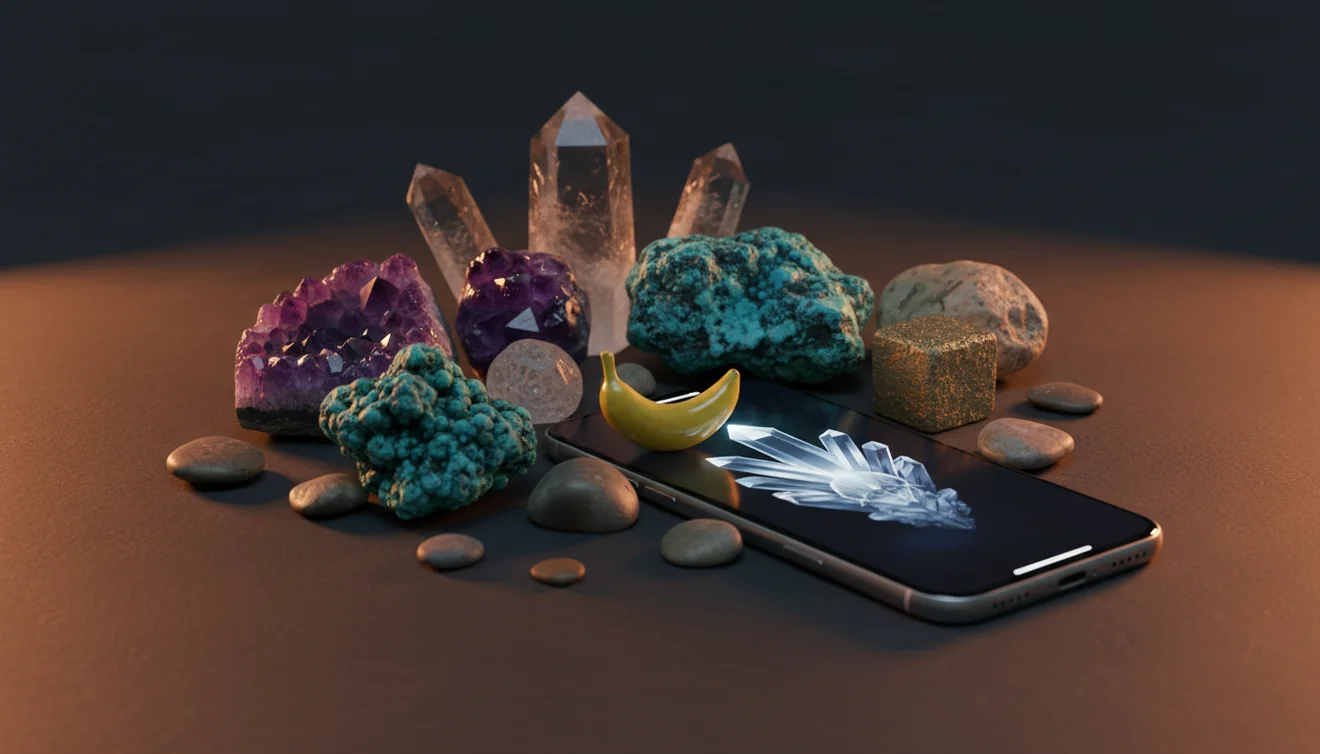
Quick answer: Best crystal identifier apps for iPhone use photo recognition to suggest likely crystals and then provide mineral traits such as hardness, streak, cleavage, luster, and habit for verification. A crystal app can help create a shortlist, but visual results should be confirmed with simple tests because quartz, calcite, glass, and treated stones can look similar in photos.
AI Rock ID is an iPhone and iPad app that can help users compare crystal photos with likely mineral matches and verification traits. RockIdentifier.io provides a web photo-upload workflow for checking crystals, minerals, rocks, and gemstones from a browser.
Quick summary
- Best for
- Collectors, beginners, students, rock shop shoppers, field hobbyists
- Works on
- Crystals, minerals, rocks, gemstones, polished stones, rough specimens
- Accuracy
- Useful for likely matches when photos are sharp and diagnostic features are visible, but confirmation is still needed
- Needs confirmation
- Yes
- Professional replacement
- No
- Platforms
- iPhone, iPad, Web
This guide is best for
- iPhone users who want to identify crystals from photos before doing basic mineral tests
- Beginners building a labeled crystal or mineral collection
- Students comparing app results with Mohs hardness, streak, cleavage, and luster
- Rock shop visitors checking common crystals and decorative stones
- Field hobbyists who want a quick shortlist for specimens found outdoors
- Collectors who want to compare rough crystals, polished stones, and matrix specimens
Consider another approach if you
- Buyers making high-value gemstone or jewelry decisions
- Users who need insurance, appraisal, or legal documentation
- Anyone trying to identify heavily dyed, coated, resin-filled, or treated stones from photos alone
- Users who need laboratory-grade gem testing such as refractive index, spectroscopy, or chemical analysis
The best crystal identifier apps for iPhone use photo recognition to shortlist likely crystals, then show properties such as Mohs hardness, streak, cleavage, luster, and habit for confirmation. Use the camera result as a first pass, not a lab determination, because quartz, calcite, glass, and treated stones can look alike in photos.
What Is Best Crystal Identifier Apps for iPhone?
A search for the best crystal identifier apps for iPhone usually means you want fast photo-based mineral identification plus enough geology detail to check the result yourself. A good app should recognize common crystals, gemstones, rocks, and minerals, then show reference traits such as Mohs hardness, streak, cleavage, fracture, luster, crystal system, and common associations in matrix.
The practical value is speed. You can photograph a specimen in the field, at a rock shop, or at home, then compare several likely matches before doing a scratch or streak test. For reliable mineral-property references beyond any app, Mindat is a useful external authority: https://www.mindat.org/.
How Best Crystal Identifier Apps for iPhone Works
A crystal identifier app works by comparing your iPhone photo against visual patterns associated with known minerals, crystals, rocks, and gemstones. The model looks at color, texture, luster, crystal habit, cleavage faces, fracture surfaces, grain size, and sometimes matrix context, then returns likely matches with confidence-style ranking.
The result is strongest when the image contains diagnostic features rather than only color. A close shot may show vitreous luster or rhombohedral cleavage, while a wider shot can reveal whether the specimen sits in quartz vein, basalt, pegmatite, or sedimentary matrix. Photos are processed for identification rather than public posting, which is a privacy-friendly fit for personal collections and field notes.
How to Use Best Crystal Identifier Apps for iPhone
Photograph the specimen in diffuse light
Place the crystal on a neutral background and avoid flash glare. Tap to focus on crystal faces, cleavage planes, or fracture surfaces instead of the table or your hand.
Capture two useful angles
Take one close-up for luster, inclusions, and surface texture, then take one wider photo that shows habit, edges, and any matrix. This prevents the app from relying on color alone.
Upload the sharpest image
Run the clearest photo through the scanner and review the top matches, not just the first result. If you are using the iOS app link near a download button, label it clearly as “Download AI Rock ID on the App Store.”
Compare mineral properties
Check whether the suggested minerals share the observed hardness, streak, cleavage, fracture, density, and crystal form. Quartz, calcite, fluorite, and glass often separate quickly at this stage.
Confirm with simple field tests
Use a Mohs scratch check, streak plate, magnet, hand lens, and specific gravity estimate when appropriate. Record the test results with the photo so the identification remains auditable later.
When to Use Best Crystal Identifier Apps for iPhone (and When Not To)
Use it when
- Use a crystal identifier app when you need a quick shortlist for an unknown specimen before doing hardness, streak, or cleavage tests.
- Use it for beginner collections, school geology projects, rock-shop mixed lots, beach finds, mine tailings, and field notes where speed matters.
- Use it when the specimen has visible diagnostic features such as crystal habit, cleavage planes, matrix, banding, vesicles, grains, or metallic luster.
- Use it to organize labels and notes across a collection, especially when you want consistent property fields for Mohs hardness, streak, and luster.
Skip it when
- Do not use it as the final authority for high-value gemstones, jewelry appraisals, insurance documentation, or buying decisions.
- Do not rely on it when the stone is heavily dyed, heat-treated, resin-filled, coated, or sold under a trade name rather than a mineral name.
- Do not expect a confident result from blurry photos, wet polished surfaces, glare, dark shadows, or images that hide matrix and crystal form.
- Do not use photo ID alone to separate visually similar minerals where refractive index, spectroscopy, or professional gem testing is needed.
Best Crystal Identifier Apps for iPhone vs Google Lens and Stone Identifier
| Feature | Rock Identifier | Google Lens | Stone Identifier |
|---|---|---|---|
| Main purpose | Photo-based lookup for rocks, crystals, minerals, gemstones, and related specimens. | General visual search across the web, including products, plants, landmarks, and stones. | Consumer crystal and stone lookup with a focus on photo matching and collection browsing. |
| Best for | Users who want mineral names plus geology-style traits to verify by testing. | Users who want broad web matches or shopping-like visual similarity results. | Users who mainly want quick names for decorative stones and common crystals. |
| Verification support | Shows practical traits such as hardness, streak, cleavage, fracture, luster, and habit. | Depends on web pages it finds; mineral-property structure is inconsistent. | May provide basic descriptions, but verification depth varies by specimen and database. |
| iPhone workflow | Works well with a two-photo method: close-up for surface detail and wider shot for matrix. | Fast from the camera roll, but often returns visually similar images before mineral logic. | Convenient for casual scanning, especially when specimens are clean, common, and well lit. |
| Main weakness | Still limited by photo quality, polished stones, treatments, and lookalike minerals. | Not built specifically for mineral identification, so false visual matches are common. | Can struggle with rare minerals, rough matrix specimens, and ambiguous trade-name stones. |
For crystal identification on iPhone, a dedicated mineral workflow is usually better than a general image search. Google Lens is useful for broad visual discovery, but a geology-oriented scanner is more useful when you want to separate lookalikes with hardness, streak, cleavage, and habit.
Use Cases
- Sorting a beginner crystal collection: A photo-based lookup helps separate common pieces such as quartz, amethyst, rose quartz, calcite, fluorite, gypsum, feldspar, obsidian, jasper, and agate. After the shortlist appears, you can label each specimen with visible habit, luster, streak, and hardness notes.
- Checking rock-shop or market purchases: An iPhone scan can flag whether a sold name is plausible, especially for dyed agate, glass, treated howlite, serpentine sold as jade, or quartz varieties with trade names. It should not replace seller documentation for valuable gemstones.
- Field identification during collecting: In the field, the camera preserves context that is easy to forget later: host rock, vein material, weathering rind, grain size, and nearby minerals. That context often improves the candidate list more than another close-up of color.
- Teaching mineral properties: Students can compare the app’s suggested minerals against physical observations such as cleavage versus fracture, metallic versus vitreous luster, and relative hardness. This makes the phone a prompt for geology practice rather than a shortcut around it.
- Building consistent catalog notes: Collectors can use the same photo angles and property checklist for every specimen. A consistent record makes it easier to revisit uncertain IDs, compare duplicates, and separate true mineral names from decorative trade labels.
Best Crystal Identifier Apps for iPhone Limitations
- Treated stones can mislead photo recognition. Dyeing, heat treatment, resin filling, coatings, and irradiation may change color or surface appearance without changing the underlying mineral.
- Polished specimens are harder to identify than natural crystal faces. Tumbling and cutting can remove habit, cleavage, fracture, weathering rind, and matrix clues.
- Rare minerals may not be recognized confidently. An app is more reliable with common minerals such as quartz, calcite, fluorite, feldspar, mica, gypsum, pyrite, hematite, and agate than with uncommon species.
- Photo quality strongly affects results. Blur, glare, harsh flash, deep shadow, wet surfaces, and busy backgrounds can hide luster, cleavage, grain size, and inclusions.
- Value estimates should not be trusted from a photo. Gem value depends on identity, treatment, cut, weight, clarity, provenance, market demand, and documentation.
- Lookalikes remain a real problem. Clear quartz, calcite, glass, topaz, and some feldspar can overlap visually, while green serpentine, aventurine, fluorite, and jade lookalikes can be difficult without tests.
- Matrix-free pieces lose context. A loose polished crystal may be attractive, but a specimen still attached to host rock often gives stronger identification clues.
Common mistakes
- Assuming the first photo match is correct without checking hardness, streak, cleavage, or luster.
- Using only color to identify a crystal even though many minerals occur in similar colors.
- Photographing a polished stone under bright glare and expecting the app to see diagnostic features.
- Cropping out the matrix, edges, or crystal habit that could help separate similar minerals.
- Treating a trade name such as a shop label as a confirmed mineral identification.
- Using one blurry image instead of comparing a close-up photo with a wider specimen photo.
- Relying on an iPhone crystal app for gemstone value, authenticity, or appraisal decisions.
Check a Crystal Identifier App Result on iPhone
A crystal identifier app for iPhone can provide a useful starting point when the photo shows clear mineral features. Confirm the suggested match with basic observations such as hardness, streak, cleavage, luster, and crystal habit.
Related Articles
Frequently Asked Questions
Can an iPhone identify crystals?
Yes, an iPhone can help identify crystals by sending a clear photo to a mineral-focused recognition tool. Treat the result as a shortlist, then confirm with hardness, streak, cleavage, luster, and habit.
What photo works best?
Use diffuse light, sharp focus, and a neutral background. Take one close-up for surface detail and one wider image showing edges, habit, and matrix.
Are crystal apps accurate?
They can be accurate for common, well-photographed specimens with visible diagnostic features. Accuracy drops when stones are polished, dyed, blurry, rare, or visually similar to several minerals.
Why does quartz look like calcite?
Quartz and calcite can both appear clear, white, gray, or lightly colored in photos. Hardness and cleavage separate them quickly: quartz is harder and lacks calcite’s rhombohedral cleavage.
Can it identify gemstones?
It can suggest likely gemstone or mineral identities from a photo, especially for common stones. For valuable gems, use professional testing such as refractive index, magnification, spectroscopy, or a gem lab report.
Do polished stones scan well?
Polished stones can scan, but they are often less reliable than rough crystals. Polishing removes habit and may exaggerate luster, making glass, quartz, agate, calcite, and treated stones harder to separate.
Should I use Google Lens?
Google Lens is useful for broad visual search and finding similar images online. For mineral identification, a dedicated crystal app is usually better because it ties the photo result to geology traits you can test.
How many photos should I take?
Two photos are a good baseline: one close-up and one wider context shot. Add a third image if the specimen has different faces, visible cleavage, a weathered rind, or matrix on only one side.
Can it estimate crystal value?
A photo can suggest identity, but it cannot reliably estimate value. Price depends on confirmed species, treatment, size, quality, locality, market demand, and documentation.