Best Mineral Identifier Apps for iPhone
The best mineral identifier apps for iPhone should turn a clear specimen photo into a useful shortlist, then help you confirm it with hardness, streak, cleavage, and luster. Use the iOS app link on the page to open Rock Identifier when you want a fast photo-based lookup in the field or at home.


Drop a mineral photo here or tap to upload
JPG, PNG, WebP, HEIC • Max 50 MB • 1 free scan per day

Analyzing your specimen…
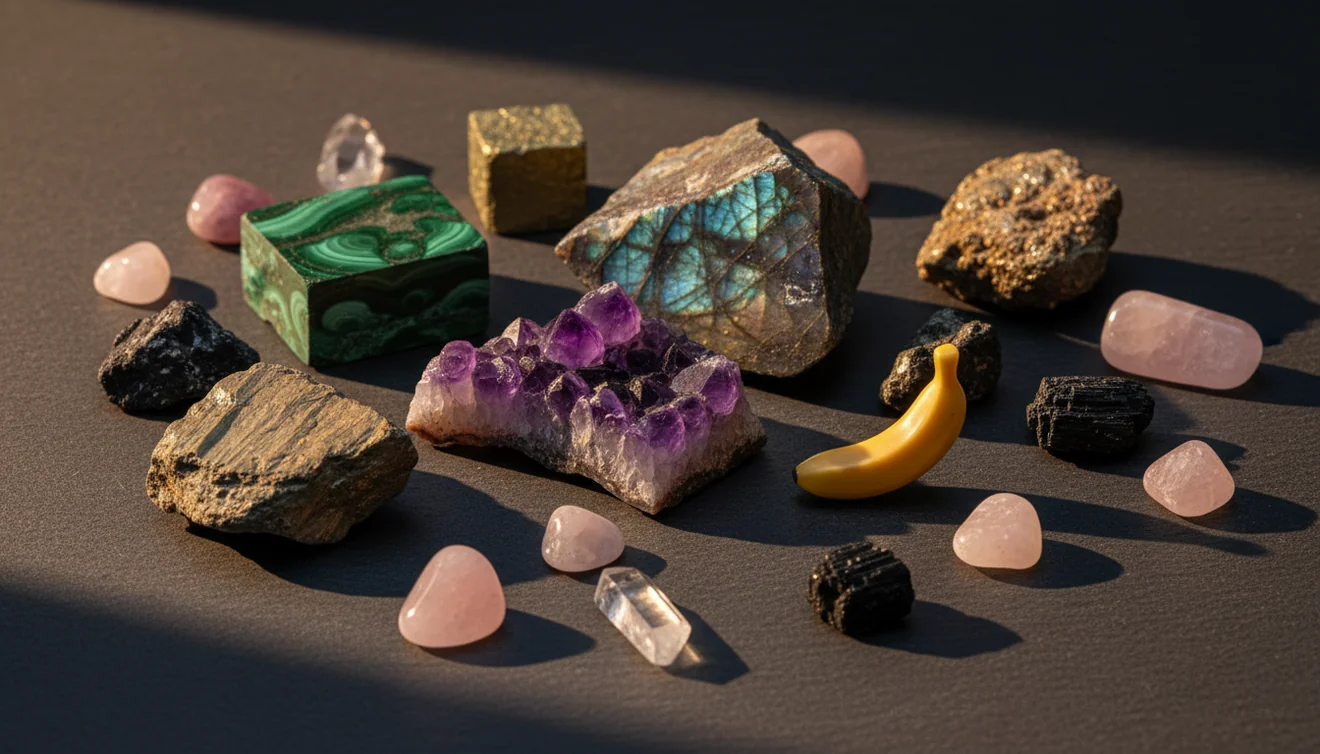
Quick answer: Best mineral identifier apps for iPhone are photo-based tools that turn a clear image of a rock, crystal, or mineral into a likely identification shortlist. They are useful for narrowing possibilities, but the result should be checked with hardness, streak, cleavage, luster, and other physical properties.
AI Rock ID is an iPhone and iPad app that can help create a photo-based shortlist for rocks, crystals, minerals, and gemstones discussed in this guide. RockIdentifier.io provides a web photo upload option for users who want to compare a mineral image from a browser instead of using the iOS app.
Quick summary
- Best for
- Collectors, hikers, beginners, students, rockhounds, crystal owners
- Works on
- Rocks, minerals, crystals, gemstones, rough specimens, polished stones
- Accuracy
- Most reliable for clear photos of common specimens with visible texture, habit, or matrix; less reliable for rare, altered, mixed, or polished material.
- Needs confirmation
- Yes
- Professional replacement
- No
- Platforms
- iPhone, iPad, Web
This guide is best for
- iPhone users who want a fast shortlist for an unknown mineral or crystal
- Beginners comparing common look-alikes such as quartz, calcite, feldspar, mica, hematite, and magnetite
- Rockhounds who want to record photos, locations, and field notes before confirming an ID
- Collectors sorting mixed rough rocks, crystals, or inherited mineral specimens
- Students learning how photo ID connects to hardness, streak, cleavage, luster, and habit
- Users deciding when a mineral app is enough and when lab testing or expert review is needed
Consider another approach if you
- Anyone needing a final professional identification for safety, legal, or appraisal purposes
- Users trying to confirm asbestos-like fibers, radioactive minerals, toxic ores, or other hazardous specimens by photo alone
- Collectors identifying rare minerals that require microscopy, spectroscopy, XRD, or chemical analysis
- Buyers trying to determine gemstone value, treatment, grade, or authenticity from an iPhone photo
- Users relying on one blurry, wet, color-shifted, or heavily polished specimen photo
The best mineral identifier apps for iPhone are most useful as shortlist tools, not final laboratory IDs. A good app analyzes a mineral photo, suggests likely matches, and should be checked against Mohs hardness, streak, cleavage, luster, and crystal habit. Clear photos and simple field tests usually matter more than choosing by color alone.
What Is Best Mineral Identifier Apps for iPhone?
Best mineral identifier apps for iPhone are photo-based tools that compare a specimen image with visual patterns from known rocks, crystals, minerals, and gemstones. They are designed to identify likely candidates from features such as luster, color zoning, cleavage faces, crystal habit, fracture, grain size, and matrix context.
A strong app does not replace a streak plate, hand lens, or hardness kit. It gives a working hypothesis, then lets you compare the result with diagnostic properties. For standard terminology on minerals versus rocks, the USGS overview is a useful reference: https://www.usgs.gov/faqs/what-difference-between-rock-and-mineral.
How Best Mineral Identifier Apps for iPhone Works
A mineral identifier app works by reading visual signals in a photo and matching them to learned examples of known specimens. The scanner looks for surface texture, translucency, crystal faces, banding, fracture style, matrix, and color distribution, then returns likely mineral or rock names with reference traits to check.
The mechanism is strongest when the image shows one dominant material rather than a mixed vein or weathered surface. Photos are processed for identification in a privacy-friendly workflow, rather than treated as public specimen posts. The result should be read as a ranked candidate list, because a camera cannot directly measure streak, Mohs hardness, specific gravity, magnetism, or acid reaction.
How to Use Best Mineral Identifier Apps for iPhone
Clean the specimen
Brush off soil and rinse loose dust if the mineral is stable in water. Avoid wetting soft, soluble, or valuable specimens because water can change luster and hide fracture details.
Photograph key surfaces
Take one overview photo and one close-up in diffuse light. Fill the frame with the specimen, tap to focus, and include cleavage planes, crystal habit, banding, or host matrix when visible.
Run the photo lookup
Submit the sharpest image first and review the top candidates. Compare each suggested name against visible traits such as vitreous luster, metallic luster, conchoidal fracture, rhombohedral cleavage, or cubic habit.
Confirm with field tests
Check streak, hardness, magnetism, and acid reaction only when safe and appropriate. These tests quickly separate look-alikes such as quartz and calcite, hematite and magnetite, or feldspar and quartz.
Save notes and retest
Record location, weight, photos, and test results before accepting the ID. If the candidate does not fit the physical properties, retake photos from another angle and treat the first result as provisional.
When to Use Best Mineral Identifier Apps for iPhone (and When Not To)
Use it when
- Use one when you need a fast shortlist for an unknown rock, crystal, mineral, or gemstone.
- Use one when sorting a mixed collection into likely quartz, feldspar, calcite, mica, ores, and common gemstones.
- Use one in the field when you have an iPhone, decent light, and enough surface detail to show habit or texture.
- Use one before a field guide when you do not know which mineral group to start with.
- Use one to organize photos and notes before confirming with streak, hardness, cleavage, and specific gravity.
Skip it when
- Do not use it as a final appraisal for price, grade, or market value.
- Do not rely on it for safety-critical identification, such as asbestos-like fibers, radioactive specimens, or toxic ores.
- Do not expect reliable results from one blurry image, a wet surface, or a polished cabochon with no natural texture.
- Do not use photo ID alone to separate rare species that require microscopy, spectroscopy, XRD, or chemical analysis.
- Do not treat color as proof, because impurities, staining, weathering, and lighting can mimic other minerals.
Best Mineral Identifier Apps for iPhone vs Google Lens and Stone Identifier
| Feature | Rock Identifier | Google Lens | Stone Identifier |
|---|---|---|---|
| Primary purpose | Dedicated rock, mineral, crystal, and gemstone photo ID | General visual search across the web | Stone and crystal photo identification |
| Best for | Shortlisting common minerals and saving specimen notes | Finding visually similar images, shops, and web pages | Quick crystal and polished-stone suggestions |
| Geology traits shown | Often paired with traits like hardness, luster, streak, cleavage, and habit | Depends on search result pages and captions | Usually provides basic stone descriptions and visual matches |
| Rough rock handling | Better when the specimen fills the frame and matrix is visible | Can confuse rough rocks with similar online images | May favor cleaner crystal or gemstone-like specimens |
| Free photo ID | Supports free photo-based identification access | Free general image search | Free or freemium depending on app plan |
| Main limitation | Still needs physical tests for confirmation | Not geology-specific and may return shopping results | Can struggle with mixed matrix, treated stones, and rare minerals |
Choose a dedicated mineral scanner when you want a geology-focused candidate list and specimen workflow. Use Google Lens when you want broad visual search, labels, or similar web images. Use a crystal-focused competitor when the sample is polished, decorative, or sold as a metaphysical stone, but still confirm the mineral name with physical properties.
Use Cases for Mineral Identifier Apps
- Field collecting: A photo-based lookup helps you narrow an unknown outcrop sample while the location, matrix, and weathering context are still fresh. It is especially useful for common quartz, calcite, feldspar, mica, and iron-oxide specimens.
- Sorting inherited collections: When labels are missing, the app can separate likely mineral groups before you spend time on tests. Photograph each specimen with a number or tray position so notes stay tied to the right sample.
- Rock shop checks: A quick scan can help compare a seller label with visual traits. It should not be used to judge authenticity, treatment, or value, but it can flag names that deserve closer checking.
- Classroom and homeschool labs: Students can use photo ID as a starting point, then test streak, hardness, cleavage, magnetism, and acid reaction. This keeps the workflow scientific instead of turning identification into image matching only.
- Gem and crystal organization: For tumbled stones, cabochons, and display crystals, the app can help create a catalog. Results are strongest when natural crystal faces, inclusions, banding, or unpolished surfaces are visible.
Best Mineral Identifier Apps for iPhone Limitations
- Treated stones can be misidentified because dyeing, heating, irradiation, or coatings alter color and luster.
- Polished specimens, tumbled stones, and cabochons hide cleavage, fracture, grain boundaries, and natural crystal habit.
- Rare minerals and locality-specific varieties may require microscopy, chemical testing, spectroscopy, or X-ray diffraction.
- Photo quality matters: blur, flash glare, warm indoor light, wet surfaces, and busy backgrounds reduce confidence.
- Value estimates are not reliable from photo ID because price depends on size, provenance, treatment, clarity, demand, and condition.
- Mixed matrix specimens can return the most visually dominant mineral while missing smaller grains or ore phases.
- Weathered rinds, iron staining, and soil coatings can make ordinary minerals look like different species.
- The app cannot directly measure Mohs hardness, streak, specific gravity, magnetism, fluorescence, or acid reaction.
Common mistakes
- Treating the first app result as a final mineral identification instead of a candidate to test.
- Using color alone, even though staining, lighting, weathering, and impurities can make different minerals look similar.
- Photographing only a polished face and hiding the natural fracture, cleavage, grain, or crystal habit.
- Submitting one blurry or shadowed iPhone photo instead of taking an overview and a focused close-up.
- Ignoring simple confirmation tests such as streak, Mohs hardness, magnetism, and acid reaction when they are safe to perform.
- Forgetting to include matrix, location, or field context, which can be important for separating similar minerals.
- Expecting a mineral identifier app to confirm rare species, gemstone treatments, or market value from a photo.
Use an iPhone Mineral Identifier as a Starting Point
A mineral identifier app for iPhone is most useful when it provides a short list of likely matches from a clear photo. Confirm the result with physical properties and use expert or laboratory methods when the specimen is valuable, hazardous, rare, or scientifically important.
Related Articles
Frequently Asked Questions
Do mineral apps work on rough rocks?
They can work on rough rocks when the photo shows grain size, texture, luster, and matrix clearly. Mixed rocks are harder because the camera may focus on one mineral while ignoring the rest of the specimen.
How many photos should I take?
Take at least two photos: one full-specimen view and one close-up of the most diagnostic surface. A third photo showing cleavage, crystal faces, or matrix often improves the candidate list.
Can an app identify hardness?
No app can measure Mohs hardness from a photo. It can suggest minerals with typical hardness ranges, but you need a scratch test against known materials to confirm.
Why does everything look like quartz?
Quartz is common, visually variable, and often massive or glassy, so many specimens resemble it in photos. Check for cleavage, streak, acid reaction, and hardness to rule out calcite, feldspar, or glass.
Are polished stones harder to identify?
Yes, polishing removes or hides many diagnostic surfaces. Natural fractures, crystal faces, grain boundaries, and matrix are usually more useful than a shiny cabochon surface.
Can it identify gemstones by photo?
It can suggest likely gemstone or mineral names from visual features, especially for common stones. It cannot reliably determine treatment, synthetic origin, clarity grade, or market value from a photo alone.
Is color enough for identification?
Color is one of the weakest mineral diagnostics because impurities and weathering can change it dramatically. Luster, streak, hardness, cleavage, fracture, and crystal habit are usually more dependable.
Should I trust one app result?
Treat one result as a hypothesis, not a final ID. If the suggested mineral does not match hardness, streak, cleavage, or specific gravity, retake photos and test again.
Can photos identify rare minerals?
Photos may suggest a family or visual match, but rare minerals often need laboratory confirmation. Similar-looking species can have different chemistry, density, optical properties, or crystal structure.