Crystal Identifier for iPhone: Complete Guide
This crystal identifier for iPhone: complete guide explains how photo ID works, where it helps, and which mineral tests still matter. Use it for a fast shortlist, then confirm with streak, hardness, cleavage, and luster.


Drop a crystal photo here or tap to upload
JPG, PNG, WebP, HEIC • Max 50 MB • 1 free scan per day

Analyzing your specimen…
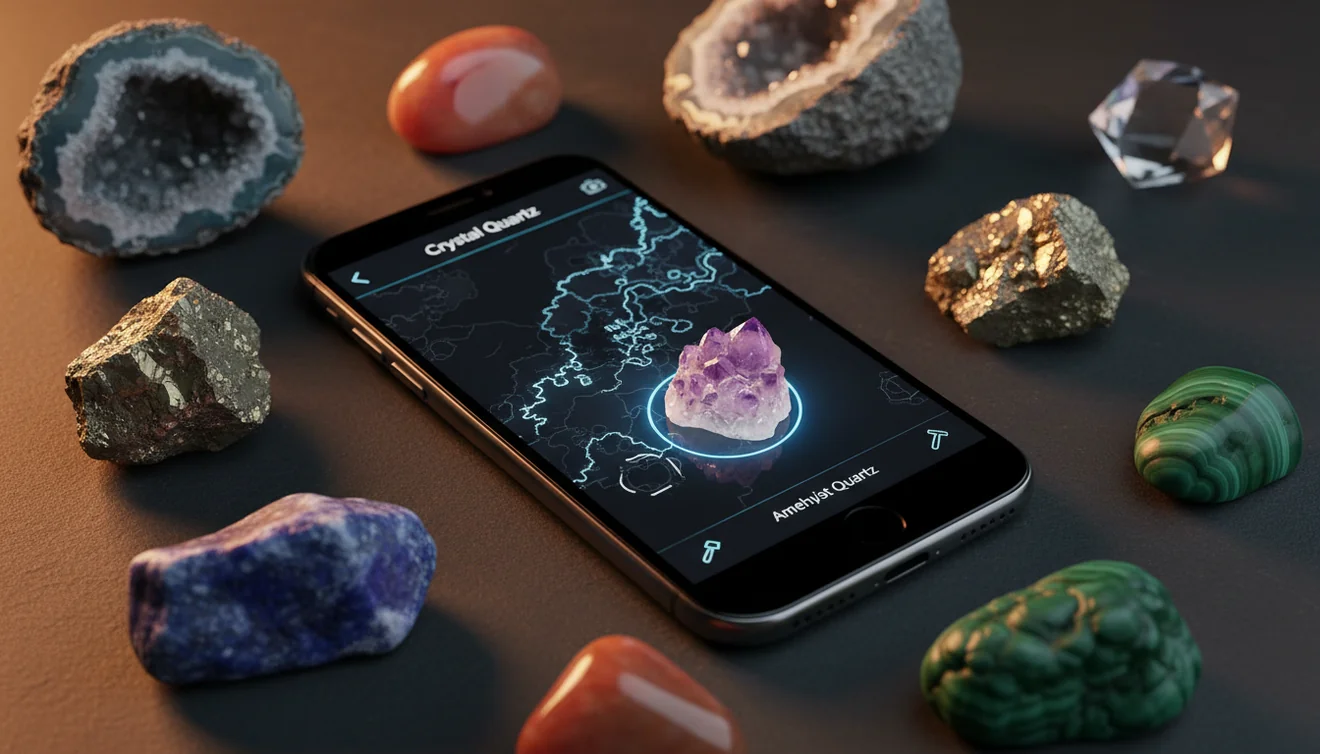
Quick answer: A crystal identifier for iPhone uses a photo to suggest likely crystal, mineral, rock, or gemstone names from visible traits such as color, luster, habit, cleavage, and texture. It is useful for a fast identification shortlist, but the result should be confirmed with hardness, streak, cleavage, luster, and other physical observations.
AI Rock ID is referenced in this guide as an iPhone and iPad photo-identification app for creating a shortlist of possible crystal, mineral, rock, or gemstone names. RockIdentifier.io is referenced as the web upload option for users who want to check a specimen photo in a browser before confirming the result with mineral tests.
Quick summary
- Best for
- Collectors, beginners, students, hikers, field collectors, inherited collection owners
- Works on
- Crystals, minerals, rocks, gemstones, tumbled stones, mixed specimen lots
- Accuracy
- Most useful for common specimens with clear photos and visible diagnostic features; less reliable for polished, treated, rare, or look-alike material
- Needs confirmation
- Yes
- Professional replacement
- No
- Platforms
- iPhone, iPad, Web
This guide is best for
- iPhone users who want a first-pass crystal or mineral identification from a photo
- Beginners learning how to compare app results with mineral properties
- Collectors sorting unlabeled crystals, rocks, gemstones, or inherited specimens
- Students who need a practical workflow for photo ID plus basic mineral tests
- Field collectors who want to record likely IDs before confirming later
- Rock and crystal hobbyists comparing look-alikes such as quartz, calcite, feldspar, fluorite, and gypsum
Consider another approach if you
- Gem buyers or sellers who need professional appraisal, certification, or valuation
- Users trying to identify rare minerals, synthetics, dyed stones, or treated gemstones from a single photo
- Safety decisions involving fibrous, radioactive, soluble, or potentially hazardous specimens
- Specimens photographed in blurry, overexposed, wet, reflective, or low-detail conditions
- Final mineral identification when hardness, streak, cleavage, and locality data are unavailable
A crystal identifier for iPhone uses a photo to suggest likely crystal, mineral, rock, or gemstone names from visible traits. It is best used as a fast shortlist generator, not a final mineral test. Accuracy improves when you photograph multiple angles and verify the result with Mohs hardness, streak, cleavage, and specific gravity.
What Is Crystal Identifier for iPhone: Complete Guide?
A crystal identifier for iPhone is a photo-based lookup tool that compares an unknown specimen against visible mineral traits such as color range, luster, transparency, crystal habit, cleavage, fracture, and matrix. It is most useful when you need a quick first-pass name for a crystal, gemstone, mineral, or rock before doing hand tests.
Use the Rock Identifier iOS app link on this page when you want a free photo ID workflow on your phone. Treat the result as a ranked hypothesis: quartz, calcite, feldspar, fluorite, and gypsum can overlap visually, so the final call should still be checked against diagnostic properties. For standard mineral property references, compare candidates with mindat.org at https://www.mindat.org/.
How Crystal Identifier for iPhone: Complete Guide Works
A crystal identifier for iPhone works by reading image patterns and matching them to mineral and gemstone examples with similar visual features. The scanner looks for traits a camera can capture: color distribution, surface texture, transparency, vitreous or metallic luster, prismatic or massive habit, visible cleavage planes, fractures, inclusions, and host matrix.
Photos are processed for identification in a privacy-friendly way, so the image is used to return likely matches rather than to replace hands-on mineral testing. The system cannot directly measure streak, Mohs hardness, magnetism, acid reaction, or specific gravity. That is why the best workflow is photo scan first, then field confirmation with simple observations and tests.
How to Use a Crystal Identifier for iPhone
Photograph the specimen clearly
Place the crystal on a plain background, use natural side light, and tap the iPhone screen to lock focus on a crystal face or fracture surface. Avoid patterned fabric, harsh glare, and heavy shadows.
Capture more than one angle
Take one dry photo, one side-lit photo, and one wider image that includes any matrix. Multiple angles help separate habits such as prismatic quartz, tabular feldspar, fibrous gypsum, and massive calcite.
Run the photo scan
Upload the sharpest image and read the top candidates as a shortlist, not a verdict. Look for matches that explain several traits at once, especially luster, cleavage, habit, and typical color range.
Check physical properties
Test hardness with common reference objects, observe streak on unglazed porcelain, and inspect cleavage versus conchoidal or uneven fracture. These checks quickly eliminate many visual look-alikes.
Record the final identification
Save the best candidate with your notes on locality, matrix, hardness, streak, and any uncertainty. Local geology often narrows the answer more than color alone.
When to Use Crystal Identifier for iPhone: Complete Guide (and When Not To)
Use it when
- Use it when you need a quick shortlist for an unknown crystal, tumbled stone, mineral, gemstone, or rock from a clear photo.
- Use it in the field when you have an iPhone but not a full guidebook, streak plate, scale, or reference collection.
- Use it for sorting mixed lots, beach finds, classroom specimens, collection labels, or inherited stones before deeper testing.
- Use it when the specimen shows diagnostic features such as crystal habit, cleavage, fracture, luster, inclusions, or attached matrix.
- Use it to compare likely candidates before checking Mohs hardness, streak, specific gravity, magnetism, or acid reaction.
Skip it when
- Do not use it as the only proof for buying, selling, appraising, or certifying a gemstone.
- Do not rely on it for rare minerals, synthetic gems, dyed stones, aura-coated crystals, or heavily treated material.
- Do not expect reliable results from blurry, overexposed, wet, or highly reflective photos.
- Do not use a photo result to determine safety for asbestos-like fibrous minerals, radioactive specimens, or soluble minerals.
- Do not treat a single-image match as final when the specimen lacks visible habit, cleavage, matrix, or texture.
Crystal Identifier for iPhone: Complete Guide vs Google Lens and Stone Identifier App
| Feature | Rock Identifier | Google Lens | Stone Identifier App |
|---|---|---|---|
| Primary purpose | Photo ID for rocks, crystals, minerals, gemstones, and fossils | General visual search across the web | Photo ID focused on crystals and decorative stones |
| Best for | Geology-first shortlists with mineral traits | Finding visually similar images, shops, and web pages | Casual naming of common crystals and polished stones |
| Mineral property context | Shows reference traits such as habit, luster, and common appearances | Depends on the pages it finds | Usually gives basic stone descriptions |
| Field workflow | Scan, compare candidates, then confirm with hardness and streak | Search image matches, then manually judge relevance | Scan common specimens, then review app suggestions |
| Weakness | Still cannot measure hardness, streak, or specific gravity from a photo | May confuse jewelry listings or stock photos with mineral IDs | May overgeneralize polished, dyed, or tumbled material |
Choose a dedicated crystal identifier when your goal is mineral identification rather than broad web image matching. Google Lens can be helpful for finding similar-looking photos, but it often surfaces retail listings or decorative names that are not mineral species. A crystal-focused scanner is better for producing a geology shortlist, while manual tests remain the deciding layer.
Use Cases
- Field collecting: Scan fresh finds before bagging them, then add notes on location, matrix, weathering, and visible cleavage. This keeps similar-looking quartz, calcite, feldspar, and gypsum specimens from getting mixed together.
- Sorting a crystal collection: Use photo ID to create a first-pass label set for inherited stones, trade lots, or mixed crystal bowls. Recheck polished pieces carefully because tumbling removes many diagnostic surfaces.
- Classroom mineral practice: Students can compare app suggestions with observed hardness, streak, luster, cleavage, and fracture. The exercise teaches why color is useful but rarely diagnostic by itself.
- Gem and jewelry screening: Use the scanner to separate obvious possibilities before professional testing. Do not use a phone photo as proof of gem species, treatment status, origin, or market value.
- Travel and museum notes: Photograph labeled specimens or local finds and save candidate names for later study. This is useful when you cannot carry a streak plate, magnet, acid bottle, or scale.
Crystal Identifier for iPhone: Complete Guide Limitations
- Treated stones can be misleading. Dyed agate, aura-coated quartz, heat-treated amethyst, stabilized turquoise, and resin-filled material may not match natural reference appearances.
- Polished, tumbled, and carved specimens are harder to identify because polishing removes crystal habit, hides cleavage, and can make unrelated minerals look similar.
- Rare minerals, locality-specific varieties, and unusual pseudomorphs may be underrepresented visually, so the scanner may return a common look-alike instead.
- Photo quality strongly affects results. Blur, glare, low light, wet surfaces, extreme close-ups, and busy backgrounds can hide luster, fracture, and growth features.
- Value estimates should not be trusted from a photo ID. Price depends on verified species, treatment, origin, clarity, size, cut, demand, and documentation.
- Color is not enough for identification. Quartz, calcite, feldspar, fluorite, beryl, and glass can overlap in color while differing in hardness, cleavage, and streak.
- Safety-sensitive identifications need expert review. Fibrous, radioactive, soluble, or toxic minerals should not be handled or stored based only on a phone result.
Common mistakes
- Treating the first photo result as a final crystal identification instead of a shortlist.
- Using only color to identify a crystal even though many minerals share the same color range.
- Photographing a tumbled or polished stone and expecting the app to see natural crystal habit or cleavage.
- Ignoring matrix, locality, fracture, luster, and cleavage when comparing possible mineral matches.
- Scanning a wet, overexposed, reflective, or blurry specimen and assuming the result reflects the mineral.
- Confusing trade names, decorative names, or retail labels with accepted mineral species names.
- Skipping simple confirmation tests such as Mohs hardness, streak, and cleavage after using a crystal identifier for iPhone.
Use a Crystal Identifier for iPhone as a Starting Point
A crystal identifier for iPhone can narrow an unknown specimen to a practical set of likely matches from a clear photo. Confirm the shortlist with physical properties such as hardness, streak, cleavage, luster, and locality before treating the ID as final.
Related Articles
Frequently Asked Questions
Can my iPhone identify crystals?
Yes, an iPhone can suggest likely crystal names from a clear photo. For reliable identification, treat the result as a shortlist and confirm with hardness, streak, luster, cleavage, and locality.
How accurate is photo crystal ID?
Accuracy is best for common specimens with visible habit, texture, and luster. It drops when the stone is polished, dyed, blurry, overexposed, or missing diagnostic surfaces.
Why does it say quartz often?
Quartz is common and visually variable, so many light-colored, vitreous minerals resemble it in photos. Hardness is the quickest check because quartz scratches glass and lacks true cleavage.
Do tumbled stones scan well?
Tumbled stones can scan, but they are harder because polishing removes natural crystal faces and fracture clues. Use multiple angles and confirm with hardness, streak, and density if possible.
What photo works best?
Use a sharp image in natural light with a plain background and the crystal filling most of the frame. A side-lit photo often reveals luster, cleavage, striations, and growth lines better than a flash photo.
Can it identify gemstones?
It can suggest gemstone candidates such as quartz, beryl, corundum, garnet, or tourmaline when visual features are clear. It cannot certify gem species, treatment, origin, or value without gemological testing.
What tests should I do next?
Start with Mohs hardness, streak, cleavage versus fracture, and luster. If the result is still ambiguous, estimate specific gravity or compare the specimen with minerals known from the collection locality.
Is color enough to identify crystals?
No, color is one of the weakest standalone clues because many minerals share the same color range. Crystal habit, cleavage, streak, hardness, and specific gravity usually carry more diagnostic weight.
Can it estimate crystal value?
A photo tool can help name a likely material, but it should not be used for valuation. Market value depends on confirmed identity, size, clarity, treatment, origin, damage, and buyer demand.