Best Crystals for Productivity
Quick answer: For productivity, many people choose crystals such as clear quartz, fluorite, citrine, tiger's eye, and hematite as visual cues for focus, organization, and follow-through. These stones are best used as part of a practical work routine, such as time blocking, task lists, and regular breaks.


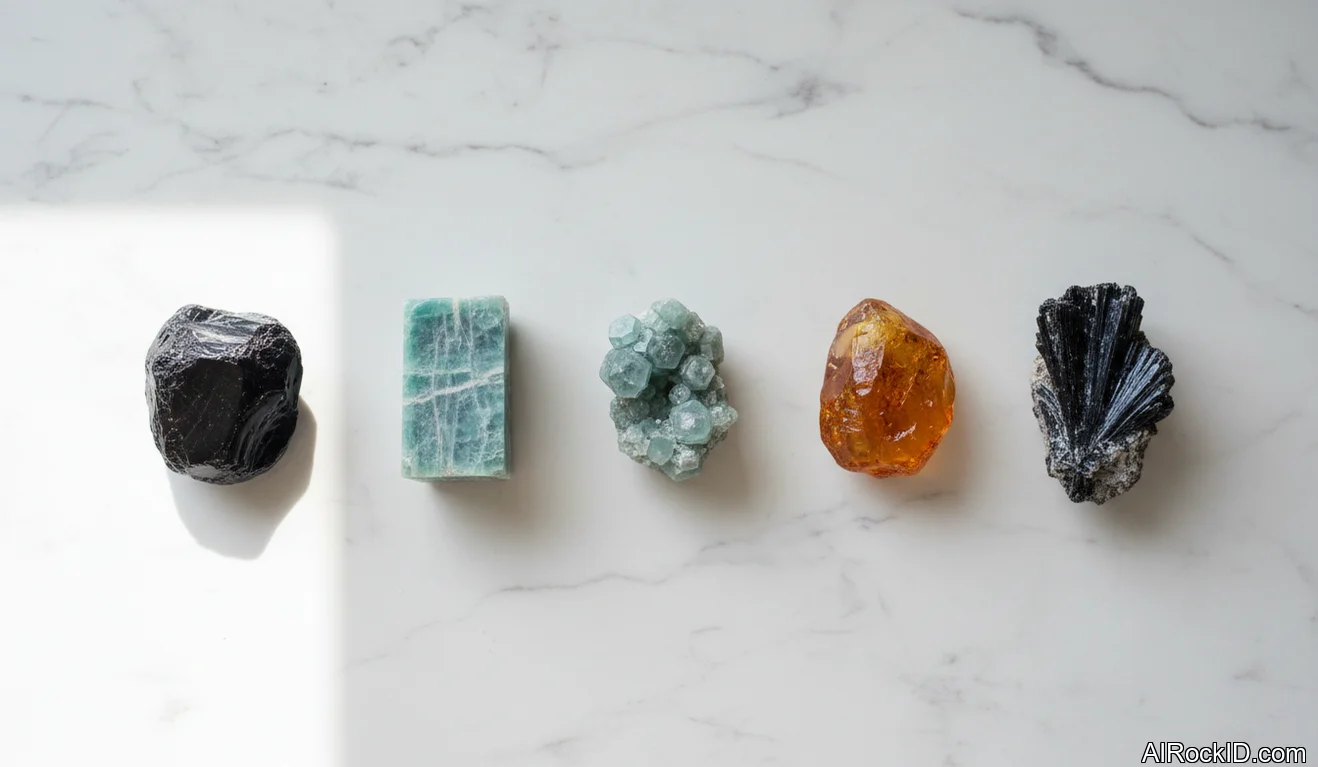
AI Rock ID can help users check whether a productivity crystal is likely to match its label based on a photo. RockIdentifier.io also provides crystal and mineral references that can support more informed identification and buying decisions.
Good fit
- People who want a simple desk cue to start or resume focused work
- Students or office workers building a consistent study or work routine
- Anyone who prefers low-maintenance objects for habit support
- Users who already use timers, planners, or task lists and want an added visual anchor
Not a good fit
- Anyone expecting crystals to replace planning, sleep, or workload management
- People seeking a guaranteed way to improve attention, memory, or performance
- Workspaces where loose stones could be distracting, unsafe, or easily lost
- Buyers who need verified mineral identity but are relying only on product names
Most commonly confused with
- Clear Quartz: Often confused with glass; natural quartz may show internal veils, inclusions, or uneven growth features.
- Citrine: Frequently confused with heat-treated amethyst, which is common in the crystal market and often has a stronger orange tone.
- Fluorite: May be mistaken for colored glass, but fluorite is softer and commonly shows cubic cleavage or banding.
- Hematite: Can be confused with magnetic hematite products, which are usually synthetic or altered rather than natural hematite.
AI identification confidence
AI identification can be useful for common productivity stones with clear color, shape, and texture, especially quartz, fluorite, and hematite. Confidence is lower when stones are dyed, heat-treated, tumbled, carved, or photographed under colored lighting.
When AI gets it wrong
- The stone is a dyed or coated version of a more common mineral
- The photo is blurry, too dark, or taken under strong colored light
- The crystal is tumbled or carved, removing key natural features
- Several minerals share the same color and general appearance
Best choice summary
Clear quartz is the most flexible pick for productivity because it works well as a neutral reminder to start, reset, or return to a task. Fluorite is a strong choice for organizing scattered attention, while hematite suits people who need a grounding cue during busy work sessions.
Final recommendation
Choose one crystal that matches the main productivity problem: clear quartz for a general reset, fluorite for organization, citrine for momentum, tiger's eye for steady action, or hematite for grounding. Keep the setup simple and pair the stone with a specific behavior, such as opening a planner, starting a timer, or clearing the desk before work.
Beginner recommendations
Advanced recommendations
A Simple One-Stone Productivity Setup
A one-stone setup is easier to maintain than a crowded crystal arrangement. Choose a single stone for the current work goal, place it where the next action should happen, and remove other objects that compete for attention.
How to Clean Desk Crystals Safely
Dust crystals with a soft dry cloth before placing them near keyboards, papers, or electronics. Avoid soaking soft or metallic stones such as fluorite, pyrite, and hematite, since water can damage surfaces or encourage tarnish.
Evidence and Practical Limits
Crystal meanings come from cultural, spiritual, and modern metaphysical traditions rather than controlled evidence for productivity improvement. Their practical value is usually strongest when they act as reminders, anchors, or environmental cues within a structured work system.
This guide covers the best crystals for productivity, focusing on stones like Black Onyx, Amazonite, Apatite, Amber, Arfvedsonite, and Aegirine. These are the crystals people actually keep at their desks or carry during long workdays because they help you settle your mind and come back to the task at hand. Crystals won’t fix procrastination or replace your planner, but they can act as steady, physical reminders to reset your focus.
The best crystals for productivity aren’t the ones that “amp you up.” They’re the ones that keep you steady, clear-headed, and consistent. I think of them as tiny environmental cues. Something you can see, pick up, and sort of reset with when your attention starts sliding off the rails.
If you’ve ever noticed how one specific pen somehow makes you write more, or how a freshly cleared desk changes your mood in five seconds flat, you already understand the concept. Crystals don’t replace planning, sleep, or deadlines. They just back up the habits you’re already trying to build.
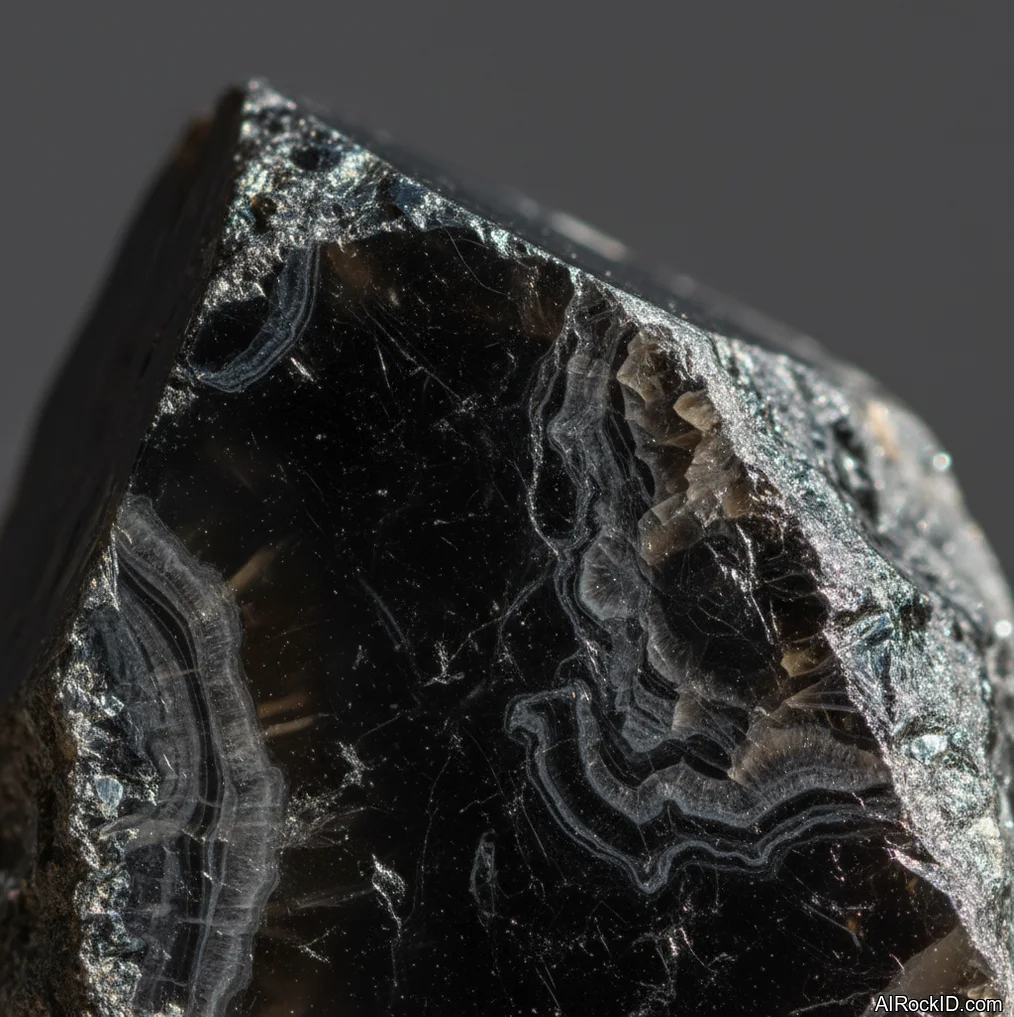
Pick up a solid piece of black tourmaline or black onyx and you notice the weight first. It’s that dense, palm-filling heaviness, like a smooth river stone that actually pulls your hand down a touch. And that’s the point. Your hand slows for a beat, and you get that tiny pause you need before you click yet another tab.
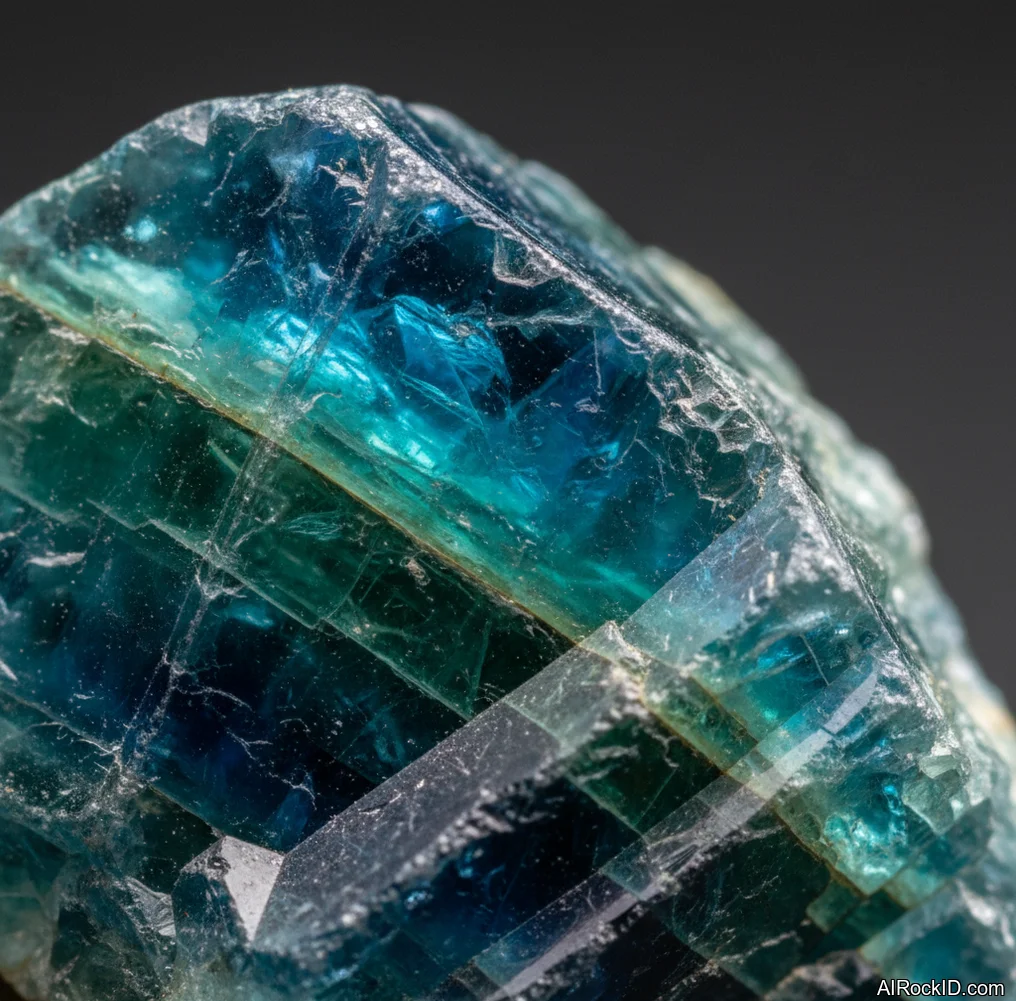
But I’ve also seen people do better with brighter stones like apatite or amazonite when they’re stuck in mental mud and need some momentum. The way the stone feels matters too. A glossy tumbled piece has that slick, almost “worry-stone” feel, while a raw chunk has sharp faces and little edges that catch on your skin. That tactile difference can anchor different work modes (at least it does for me).
One reality check, though: the market’s messy. Some stones get mislabeled, dyed, or sold under fantasy names, and the vibe you’re going for gets blurry when the material isn’t what you think it is. So keep it simple. Choose a few you genuinely like touching, keep them where you actually work, and tie them to a repeatable routine: start, focus, break, finish. That’s where crystals really earn their spot on a desk.
Quick Comparison
| situation | crystal | why | format |
| Trying to stay focused during a long day of computer work | Black Onyx | People like its solid, grounding heft and the way a polished palm stone feels cool and heavy in the hand. It’s a physical anchor when your mind’s all over the place. | Polished palm stone |
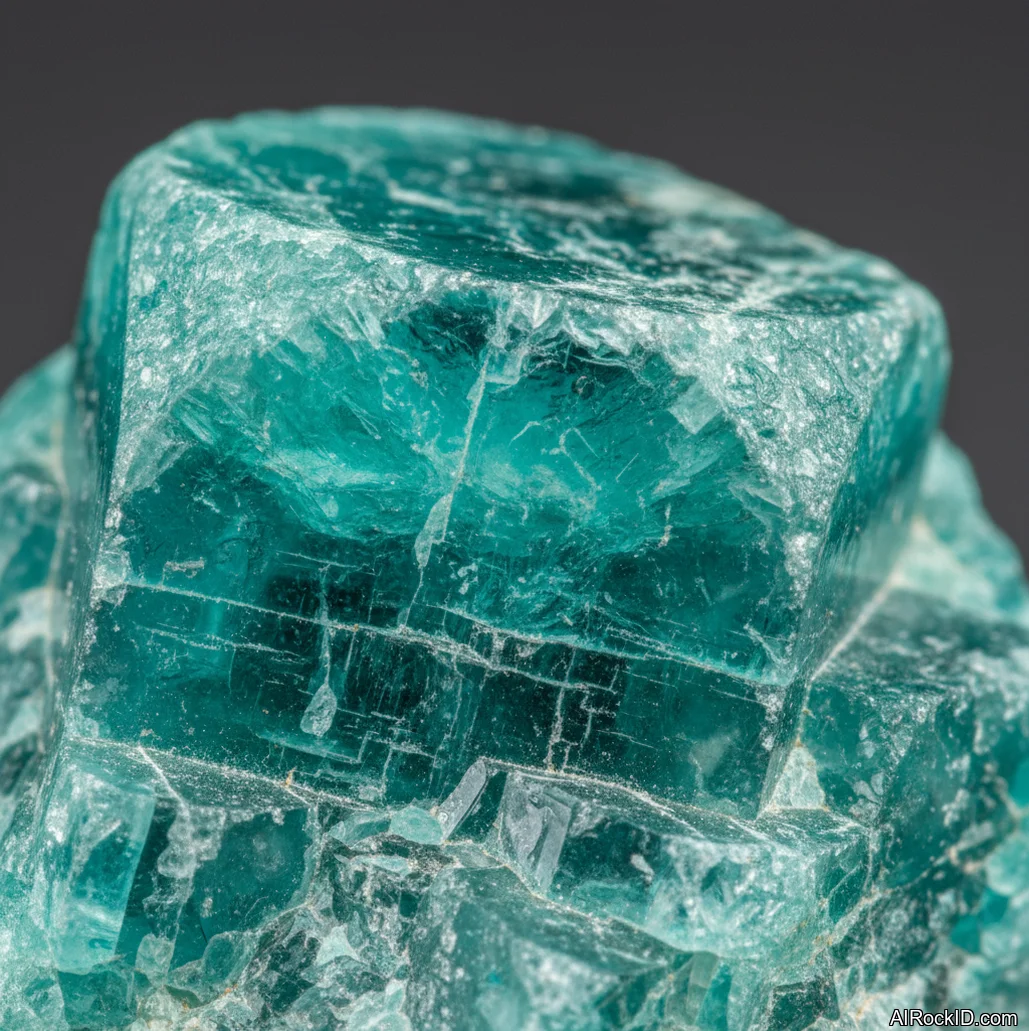
| Needing a mental reset after lots of meetings or mental fatigue | Amazonite | The blue-green color is calming, and even a small tumbled stone can catch the light with that waxy shine. I’ve seen people just roll it between their fingers as a reset button. | Tumbled pocket stone |
| Journaling or brainstorming ideas and wanting to spark mental clarity | Apatite | It’s the color—a vivid teal, almost electric under sunlight. Raw pieces can look almost glassy, and the sharp edges give your thumb something to fidget with while you think. | Raw chunk |
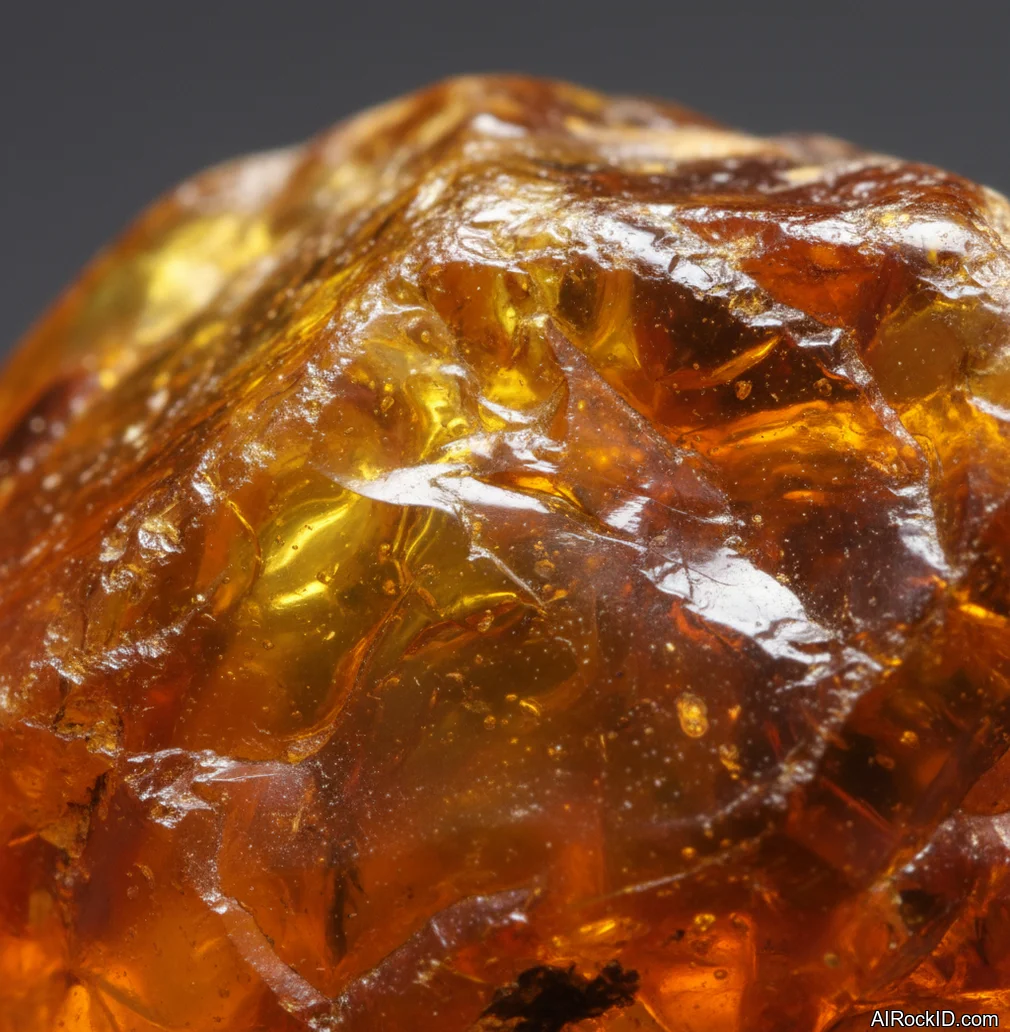
| Getting sluggish or distracted in the afternoon and needing a gentle lift without caffeine | Amber | Real amber is light for its size, a little tacky if you warm it in your palm. It’s the warm, honey color that snaps your eyes out of a screen-trance. | Small polished piece (desk or pocket) |
Recommended Crystals
Black Onyx
Amazonite
Apatite
Amber
Arfvedsonite
Aegirine
Black Kyanite
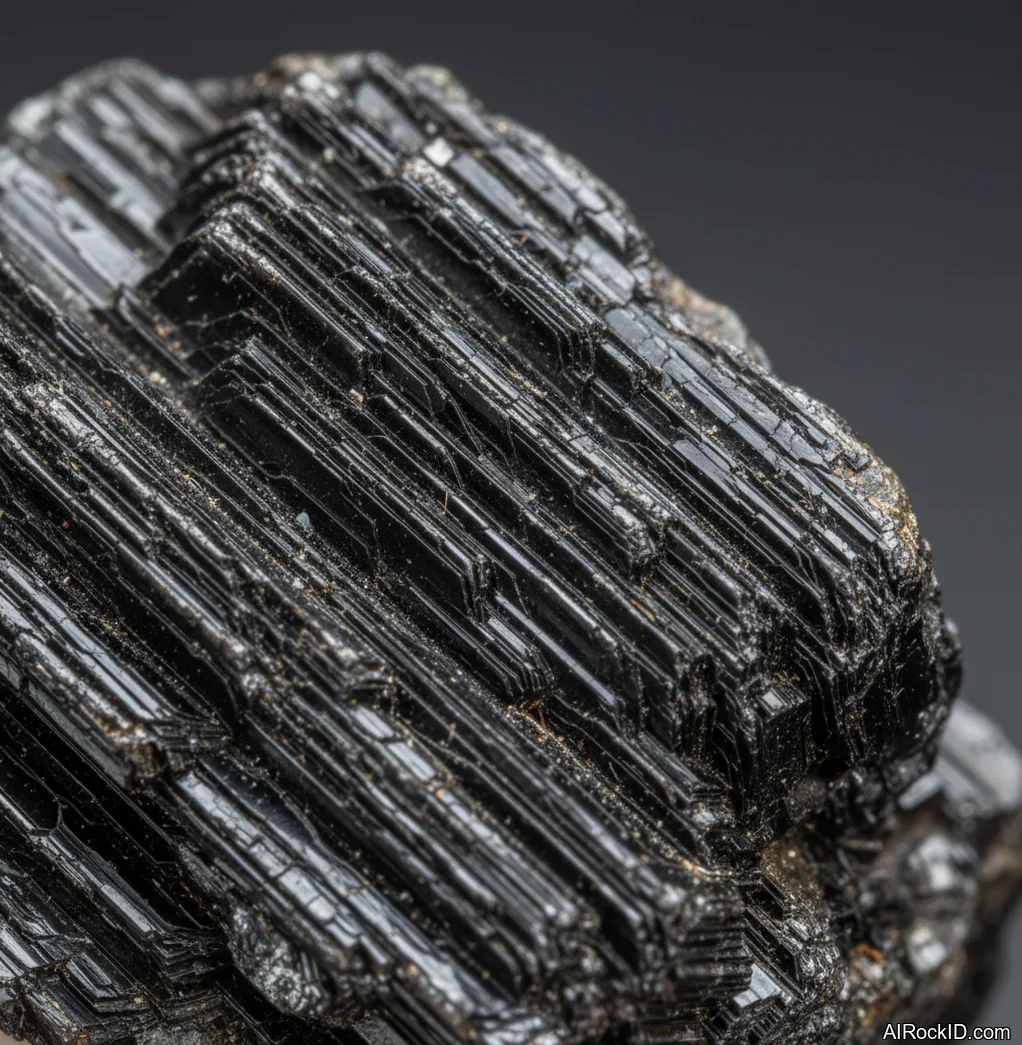
Black Mica
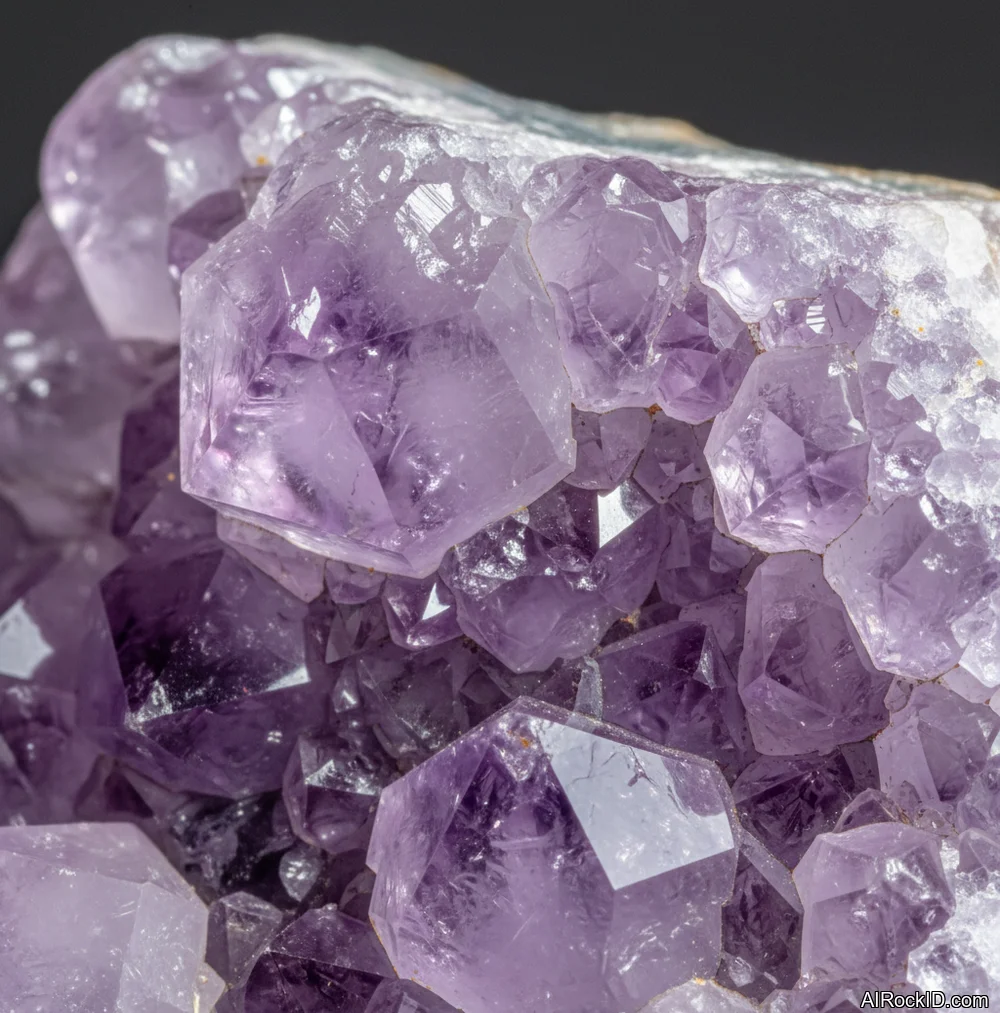
Amethyst
Focus vs. motivation: pick stones for the problem you actually have
Most “productivity” problems aren’t really one problem. Some days you can’t even get going. Other days you light up ten tabs, start ten tasks, and somehow finish none of them. So I split my stones into two buckets on my own desk: focus stones and momentum stones.
Compared to amber or apatite, black onyx and amethyst feel quieter in your hand. They’re the ones I reach for when my brain’s already loud and I need fewer inputs, not more. Thing is, I can usually tell within about thirty seconds of holding a stone if it’s going to make me fidget, and that’s the wrong direction. But if I’m stuck staring at a blank page, a calmer stone can weirdly help me stay calm while I do nothing (and then eventually do something).
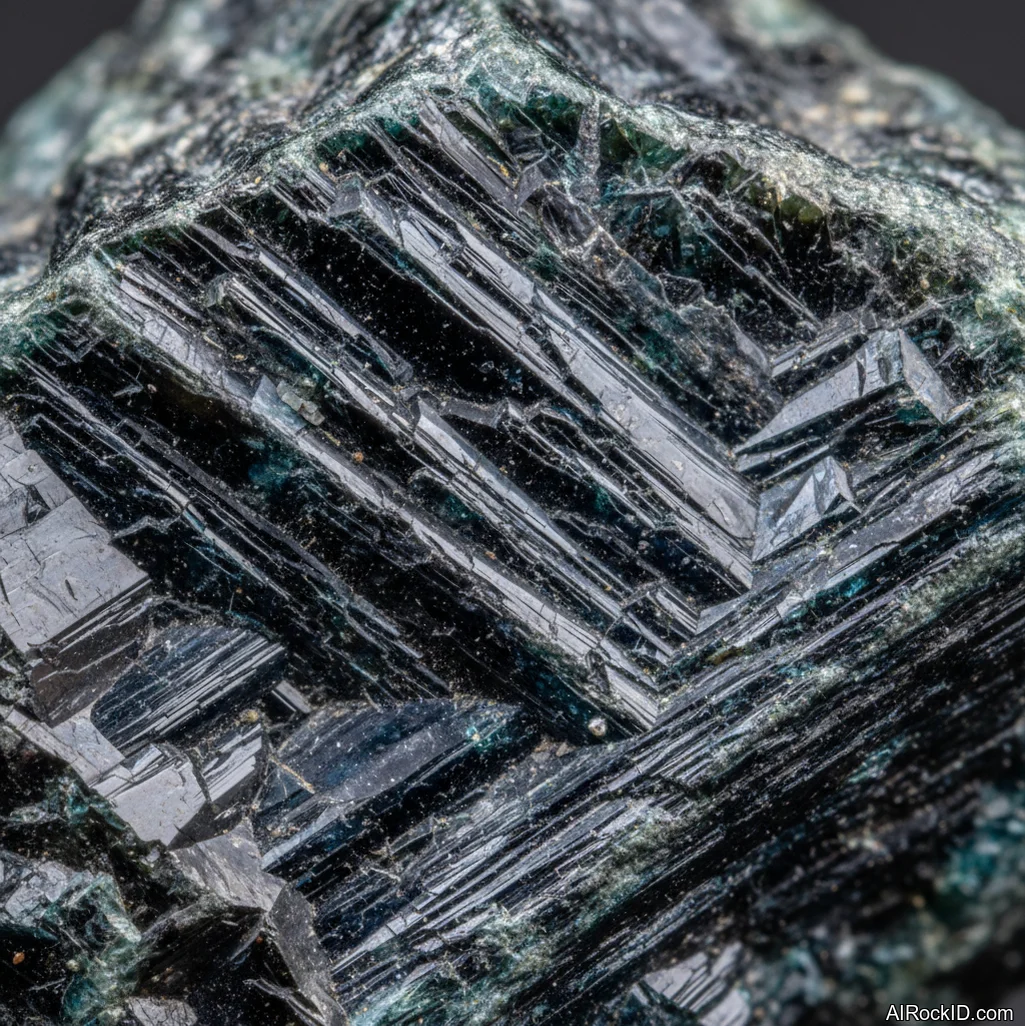
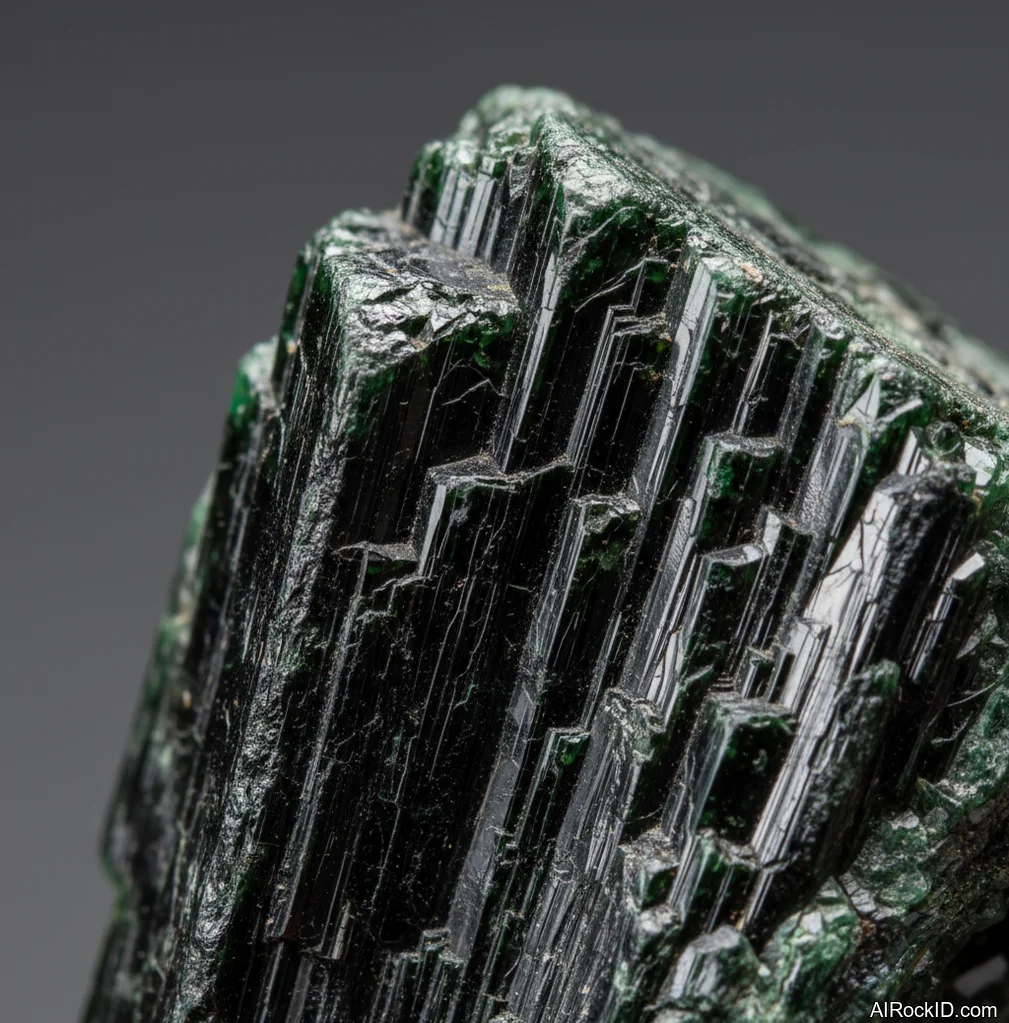
Pick up a stone and ask one blunt question: do I need to speed up or slow down? If you need to slow down, go heavier and darker, like black onyx, black mica, or aegirine. If you need to speed up, grab something that feels mentally bright like apatite or even a warm piece of amber. And keep the “wrong” bucket out of reach, so you’re not second-guessing yourself all day.
Desk placement that actually changes behavior
Where you put the stone matters more than which stone you pick. If it’s living in a drawer, it’s basically a collectible, not a tool. I’ve watched people buy a whole set and then never touch any of it because it’s lined up like desk decor behind the monitor, dust gathering in the little gaps.
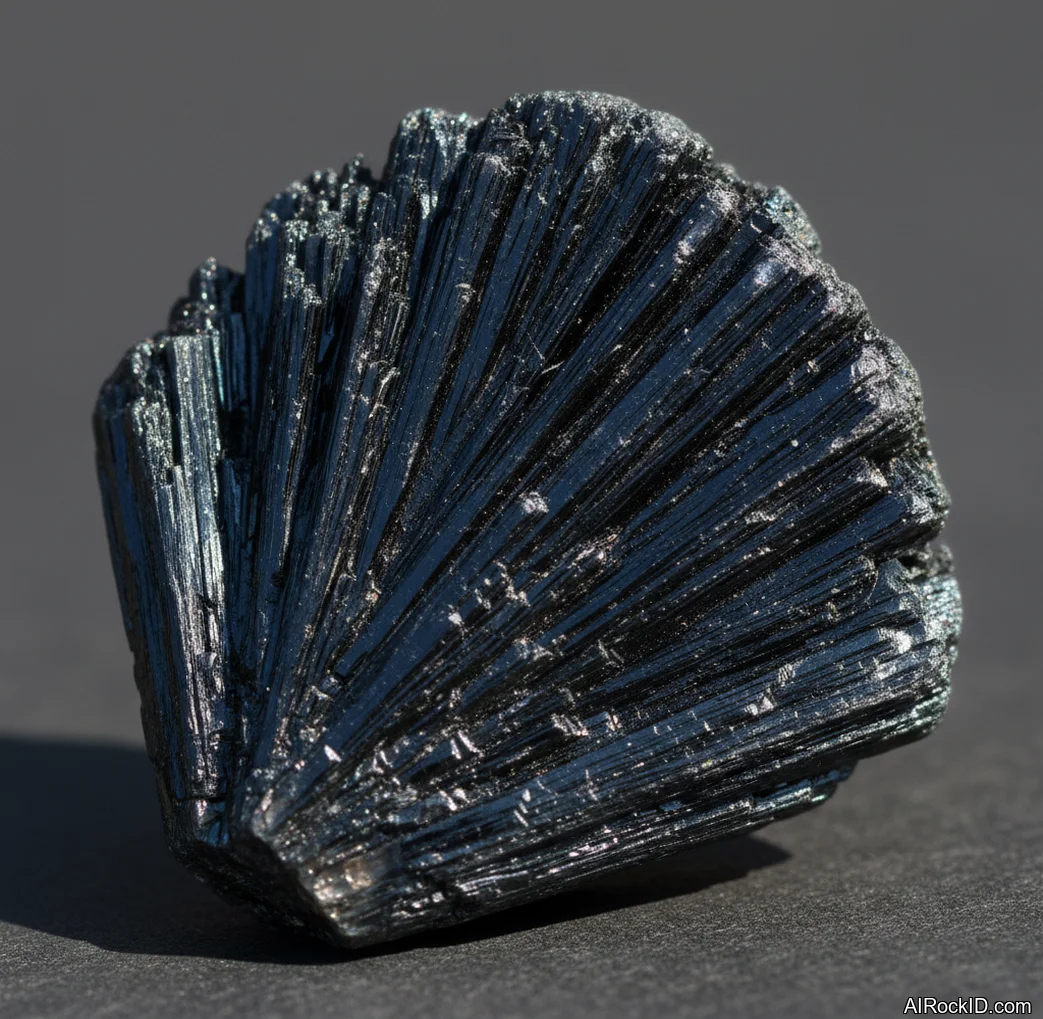
The real test is friction. Put the stone somewhere it interrupts a bad habit by half a second. Black onyx by the mouse is great because you can’t miss it, and you’ll feel that cold, smooth weight the second your hand drifts. Amazonite near a notebook works because you reach for it during planning, usually right when you’re flipping a page or tapping the pen (you know the move). Aegirine and black kyanite should sit farther back, because you don’t want sharp or fibrous pieces where your forearm slides, especially if you’re the kind of person who drags their sleeve across the desk without thinking.
Try a two-zone setup. One stone in your “action” zone (keyboard, mouse, notebook, whatever you actually touch all day), and one in your “reset” zone, like a small dish off to the side. Touch the action stone only when you’re producing something. Touch the reset stone only when you’re stuck, anxious, or switching tasks. Sounds too small to matter, right? But it trains your hands. And once your hands learn it, your brain usually follows.
Timer pairing: crystals work better with a structure
Crystals don’t build structure. They piggyback on structure that’s already there. But if you match a stone with a timer, you end up with a repeatable loop your brain picks up scary fast.
Look, it sounds gimmicky at first. I get that. But a physical object paired with a clear start signal is straight-up classic habit design. I like grabbing apatite or amber at the start of a sprint because they feel like “go” stones in my hand, smooth and a little cool at first, then warming up as I hold them. Then I’ll switch to amethyst or black onyx when it’s time to stay in my lane and not get yanked into side quests. That swap is the cue. It says, okay, we’re done starting, now we’re executing.
So here’s a dead simple pattern: hold the stone for 10 seconds, say the output out loud, start the timer, then set the stone down where you can still see it (right by the keyboard works). When the timer ends, touch it again and write one line: what shipped, what didn’t, what’s next. Kind of boring, honestly. That’s why it works.
Buying tips: avoid the stuff that derails your setup
Most dealers aren’t out to scam you. But the supply chain’s a mess, and a lot of stuff gets labeled pretty loosely once it’s passed through a few hands.
Black onyx is the classic example. If it’s that perfectly even, ink-black color and it’s dirt cheap, it’s probably dyed. I’ve seen pieces where the polish looks great but the black is almost too “flat,” and if you catch a nick on an edge you can sometimes spot a lighter base underneath. Doesn’t make it useless for productivity or whatever you’re using it for, but you should know what you’re paying for.
Cheap “amber” is another one. A lot of it is resin or pressed material. Real amber feels warm and light in your hand, and it scratches way easier than people expect (like, a little too easy). So if a seller is calling it “indestructible,” yeah… walk away. Who says that about amber?
With aegirine and black kyanite, it’s less about fakes and more about how fragile they can be. Thing is, you want something that can sit on a desk and get bumped around without slowly turning into crumbs.
My practical rule is simple: pick stones you actually enjoy touching, and that can survive your real workday. And if you’re the kind of person who knocks over coffee mugs (be honest), skip the delicate blades. Go for tumbled onyx, amazonite, or a sturdy amethyst cluster.
How to Use These Crystals for Productivity
Pick a two-stone routine and actually stick with it for a week before you start piling on extras.
One “start” stone goes right where your hand already lands, like beside your mouse or smack on top of your notebook. Easy to reach. The other one, the “reset” stone, goes a little off to the side in a small dish. And yeah, that tiny bit of distance matters. Too close and you’ll end up absentmindedly fidgeting with it. Too far and it basically disappears from your brain.
For the start stone, I go for apatite or amber when I need momentum, and amazonite when I need decisiveness. You touch it, say the output out loud in one sentence, then start a timer. That’s it. Don’t sit there rubbing it the whole time (you know the move). If you catch yourself doing that, it’s usually a sign you’re anxious or dodging the work, so set the stone down and write the smallest next action. Small enough that you can’t argue with it.
For the reset stone, black onyx, amethyst, or black mica tend to work well because they feel grounding and they don’t yank your attention around with a bunch of sparkle. Use this one only when you’re switching tasks or when you’re coming back from a distraction. Touch it. Take five slow breaths. Then write a one-line “return ticket,” like: “Open the doc and finish section 2.” So simple it’s almost annoying. But that one line saves more time than any crystal ever will.
Common Mistakes to Avoid
The biggest screw-up is using crystals like they’re a replacement for an actual workflow. If your to-do list is a swamp and your calendar’s pure chaos, a stone isn’t going to save you. But it can help you stick to a promise you already made, like staying with one task until the timer buzzes (that little jolt of sound that snaps you back).
Another easy mess: people buy a dozen pieces and keep swapping them out all day. So it turns into procrastination wearing a self-improvement costume. I’ve literally watched someone spend more time “tuning” their desk, sliding stones into neat little rows and wiping fingerprints off a shiny surface, than writing the report. Keep it tight. Pick two stones, maybe three, and stick with them for a month. See how you actually react, then decide what you still need.
And watch the fidget trap. Some stones feel so good in your hand that they turn into a toy instead of a tool, especially polished onyx and amazonite (they’ve got that smooth, glassy finish that makes you want to rub your thumb over it nonstop). If you notice that happening, move the stone farther away and only touch it at the start and end of a work block. Why tempt yourself?
What Crystals Can and Cannot Do
Identify crystals related to Best Crystals for Productivity
Snap a photo to check crystals mentioned in this guide and compare likely matches.